In Falsus Input Lag Fix: Audio Offset, FPS & Delay Setup
Every EXACT landing late in In Falsus? Calibrate the Audio Offset, stabilize frame rate, and clean up mouse and keyboard delay — fixes that restore your timing.
 infalsus.org
Late EXACTs on drops you were sure you hit. Field zones that break the instant the melody lands. NEAR spam that no amount of practice seems to fix. In a 6-key-plus-mouse rhythm game, "input lag" is the first thing players blame — and the last thing that is actually broken. This guide walks through the delay sources In Falsus actually has, in the order you should fix them, starting with the one setting the game ships for exactly this purpose.
For the underlying systems — floor lanes, the aerial Field, EXACT/NEAR/BREAK windows — see our controls guide and rhythm breakdown first; this page assumes you know what a good hit is supposed to feel like.
1. Calibrate the Audio Offset first
In Falsus ships an Audio Offset setting for a reason: it shifts the moment your hits are judged against the music, in milliseconds. It sits in the settings screen next to Track Speed, and both start at their defaults (2.00 / 0):
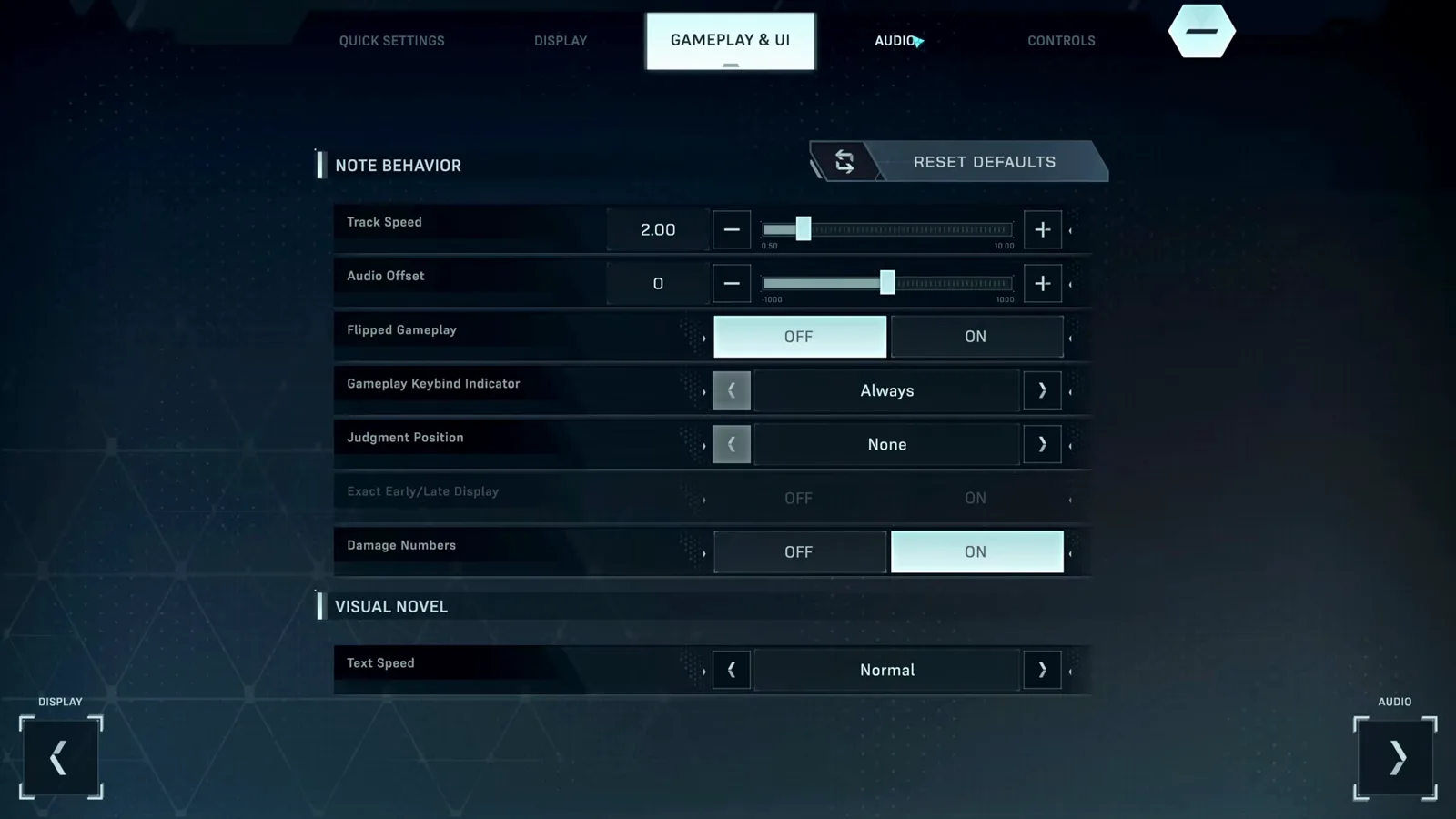
Calibrate it like this:
- Pick a slow, familiar song at a comfortable difficulty — calibration on a busy FBD chart teaches you nothing.
- Play a section and listen: if hits consistently register late, nudge the offset and replay the same section.
- Repeat in small steps. You are looking for the point where EXACTs stop clustering on one side.
- Stop once it feels centered. Chasing a perfect number across multiple sessions usually means something else in the chain is wrong.
One offset per audio device. Switch from headphones to speakers — recalibrate.
2. Stabilize frame rate before blaming anything else
Unstable frame delivery feels exactly like input lag: notes are where you expected, but the judgement line isn't. In Falsus runs fine on modest hardware (its minimum spec is a GTX 980-class card — see our system requirements post), so consistent stutter is usually environmental:
- Close browser tabs and overlays (screen recorders, RGB utilities, chat apps with hardware acceleration) before playing.
- If your desktop is running a scaled high-resolution mode on minimum-spec parts, try a resolution your GPU can hold at a steady frame rate.
- Full-screen the game on the monitor your mouse actually uses — In Falsus reads the cursor continuously for Field notes, so a capture or compositor detour on the wrong display hurts twice.
If hits scatter randomly rather than drifting one direction, it is frames, not offset. Fix frames first, then recalibrate.
3. The mouse side: Field notes have their own delay path
Most rhythm games have one input path. In Falsus has two, and the mouse half is the one players forget. Field notes track your cursor, so mouse-side delay presents as Field zones failing while keyboard lanes feel fine:
- Prefer a wired mouse, or verify your wireless mouse is not dropping into a low-power polling mode.
- Remove software that intercepts or filters cursor input (macro tools, some IME utilities, overlay hotkeys).
- Distinguish lag from the Field lock: leave the purple zone too long and the zone locks red and stops accepting input for a moment — that is a game mechanic, not delay. Our beginner guide shows the difference.
4. The keyboard side: ghosting masquerades as lag
If specific key combinations drop — especially three or more lanes in a chord — that is keyboard ghosting on a budget membrane board, not input delay. A board with n-key rollover (NKRO) registers every simultaneous press; most mechanical keyboards qualify. We cover the full diagnosis in the keys not working post — the fix is hardware, not settings.
5. Clean up the audio path
Your ears calibrate your hands. Every millisecond the audio takes to reach them is a millisecond you'll compensate for in the wrong place:
- Wired over Bluetooth. Wireless audio latency is exactly the "everything is late" feeling, and it varies moment to moment, so no static offset fully compensates.
- Skip virtual surround. Spatial-audio mixers add processing on top of the game's output. Plain stereo through a simple output device is the honest signal.
- Prefer exclusive-mode audio or a simple default device over audio DSP suites.
6. Steam Deck and controller players
On Steam Deck, In Falsus runs through Proton with Steam Input mapping the controller to keys and cursor. Two Deck-specific notes from our controller & Steam Deck post: use wired audio (Bluetooth on Deck compounds the delay problem above), and remember offset calibration is per-device — a docked Deck with speakers needs its own offset. The full mapping walkthrough lives in our controls guide.
When it is genuinely your timing
If offset, frames, mouse, keyboard and audio are all clean and EXACTs still scatter, the remaining variable is judgement windows on high-level charts — tight by design. That is a practice problem, not a latency problem: our scoring guide breaks down EXACT/NEAR grading, what Full Link actually demands, and what a Perfect Dive asks of your accuracy.
And if the game itself won't start, or hangs instead of lagging, that is a different post entirely: black screen & crash fixes.