GUIDE // FULL RUN
In Falsus Demo Walkthrough
STORY → ENCOUNTERS → ULT // DEMO v0.3.x
A frame-by-frame walkthrough of a complete demo run: the opening cutscenes, the Hub, what character selection actually does, your first Encounters against Freya, how Dive results and ranks read, how ULT difficulty unlocks, and how to recover from a failed Dive.
TL;DR
- ▸The demo opens with visual-novel cutscenes — use the fast-forward buttons in the top-right corner if you want to reach gameplay faster. Nothing story-related is missable.
- ▸The Hub character you select is a theme customization only — Scenario, Card Integration and Encounters use their own fixed characters and skills.
- ▸Clear a song to unlock its next difficulty tier: the demo ladders MIN → EVO → ULT, with FBD charts locked out of the demo.
- ▸A failed Dive keeps your score and offers an instant RETRY — read the per-phase breakdown to see which Phase collapsed before diving again.
SOURCE FOOTAGE
Every screenshot on this page comes from justonegamr's full In Falsus demo playthrough on PC, and every fact was verified against what the game itself shows on screen. Each image deep-links to the exact timestamp it was captured from.
Opening: the story of the shattered world
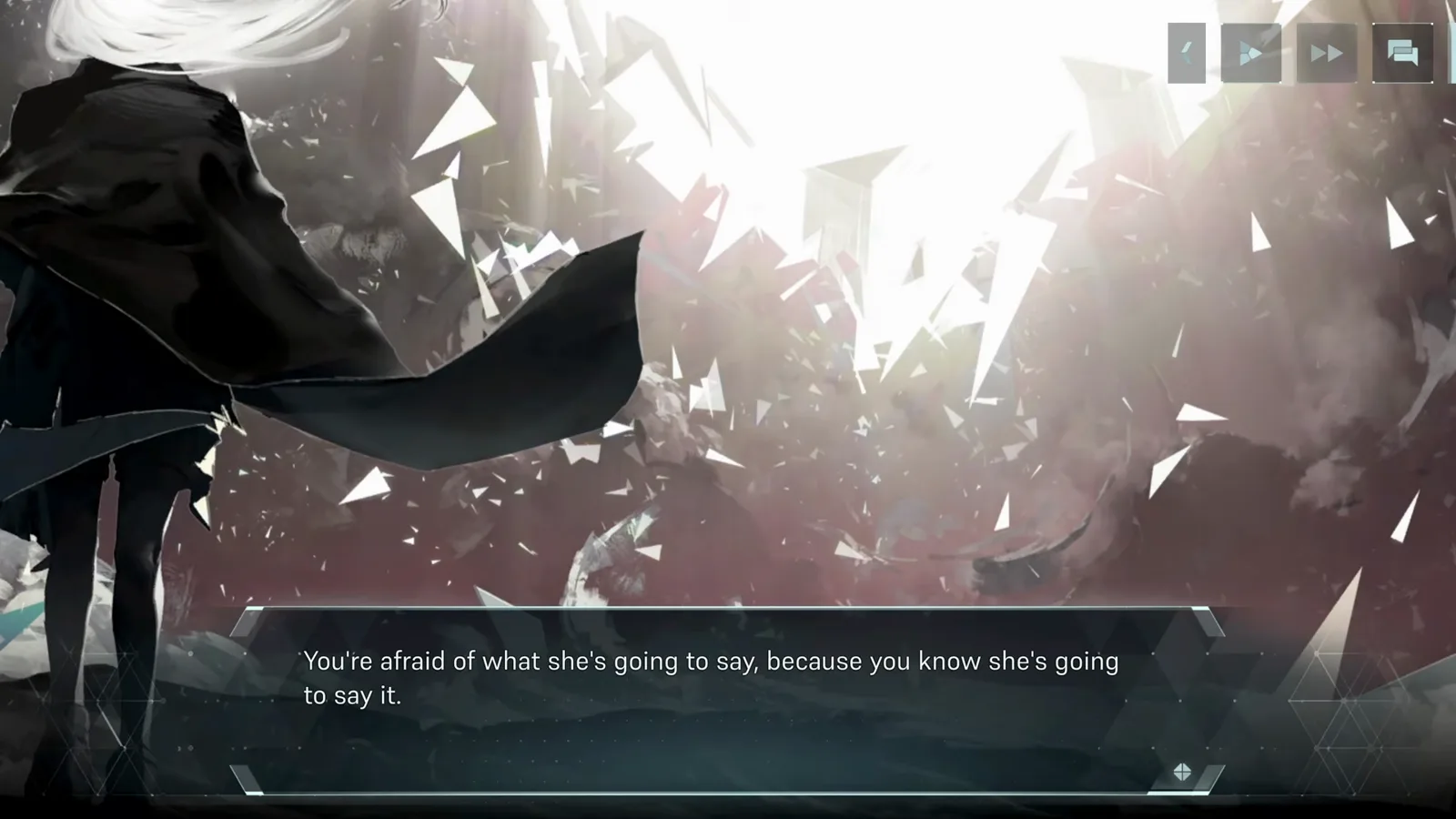
SCENARIO // THE FIRST LIEIn Falsus opens as a visual novel: dialogue lines advance on click, with back, play, fast-forward and log buttons in the top-right corner. The opening chapter sets up the world's collapse — glass shattering across the sky, and a girl laughing as the pieces come down.
- 1
Sit through (or skip) the opening narration
The demo opens on a black screen with narration text — "This is it. Let her hear it:" Story scenes play as a visual novel: text advances on click, and the top-right corner holds back, auto-play, fast-forward and log buttons. Fast-forward if you want the charts first; the story is replayable later from the Hub.
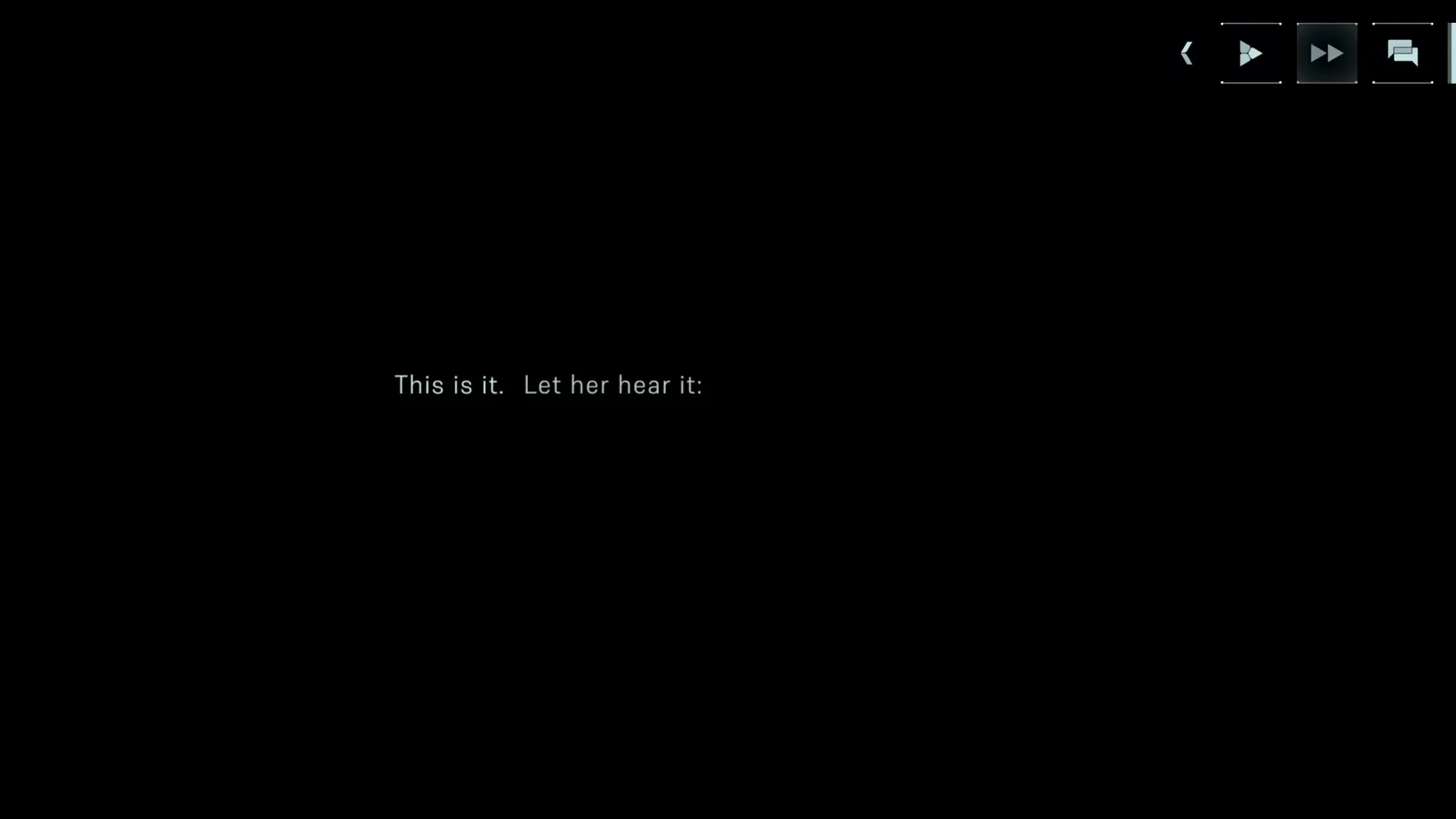
Story scenes are visual-novel style — the skip and fast-forward buttons live top-right. · Footage: justonegamr ↗ - 2
Watch the world shatter
The opening chapter ends on the demo's signature image: a girl standing on shattered rock, laughing as fragments rain down around her. It's spoiler-light to say the scenario and the rhythm gameplay are two halves of the same loop — clear songs to push the story forward.
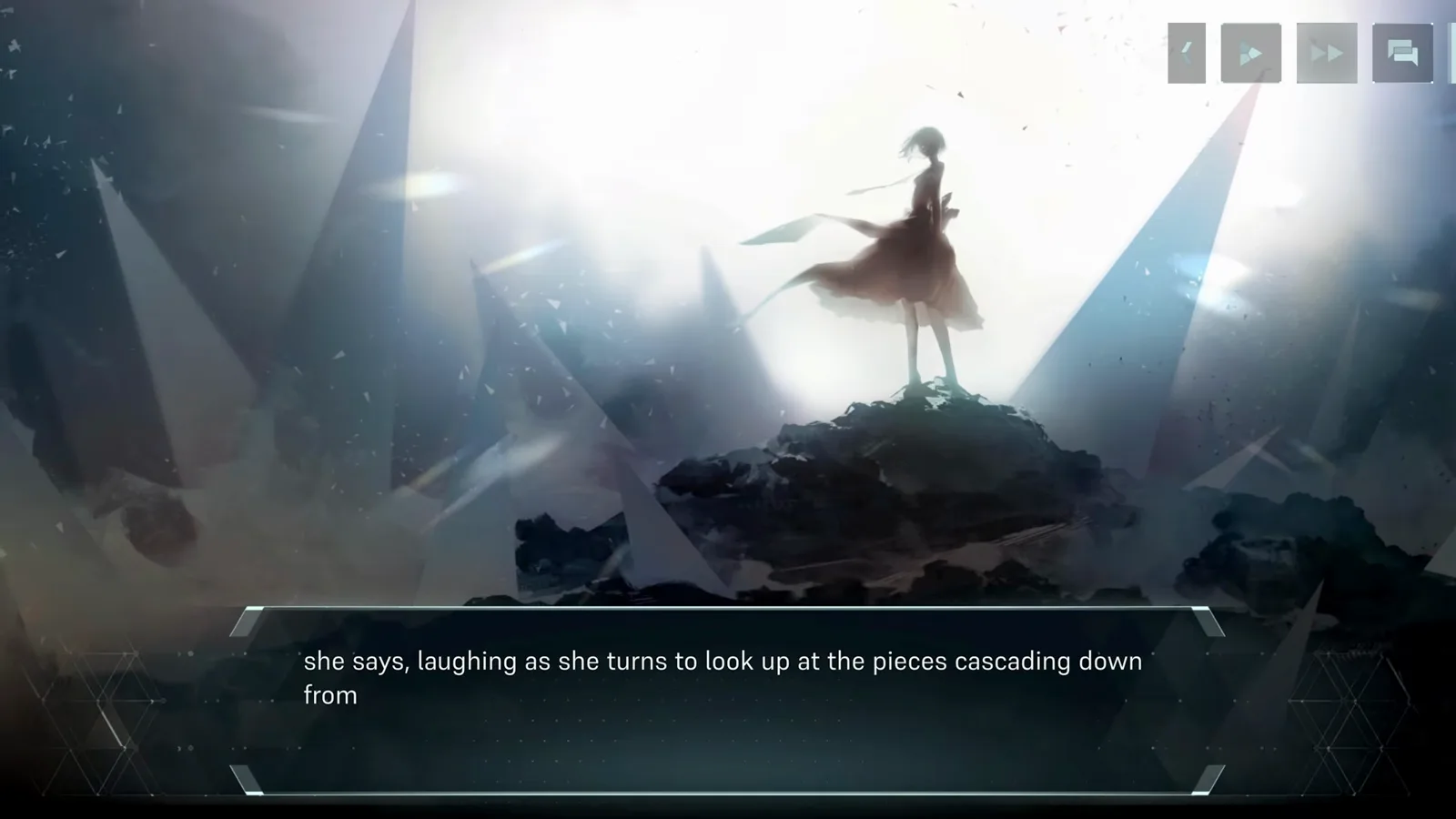
The opening's closing shot — story and charts feed into each other from here. · Footage: justonegamr ↗
The Hub between dives
- 3
Learn your way back to the Hub
After the tutorial, the game tells you: "Return to the Hub at any time from other screens by using the Hub button." The Hub tracks your EX COUNT and CLEAR COUNT per song, and holds MUSIC PLAY (free song select), SCENARIO, and a REPLAY TUTORIAL button in the corner.
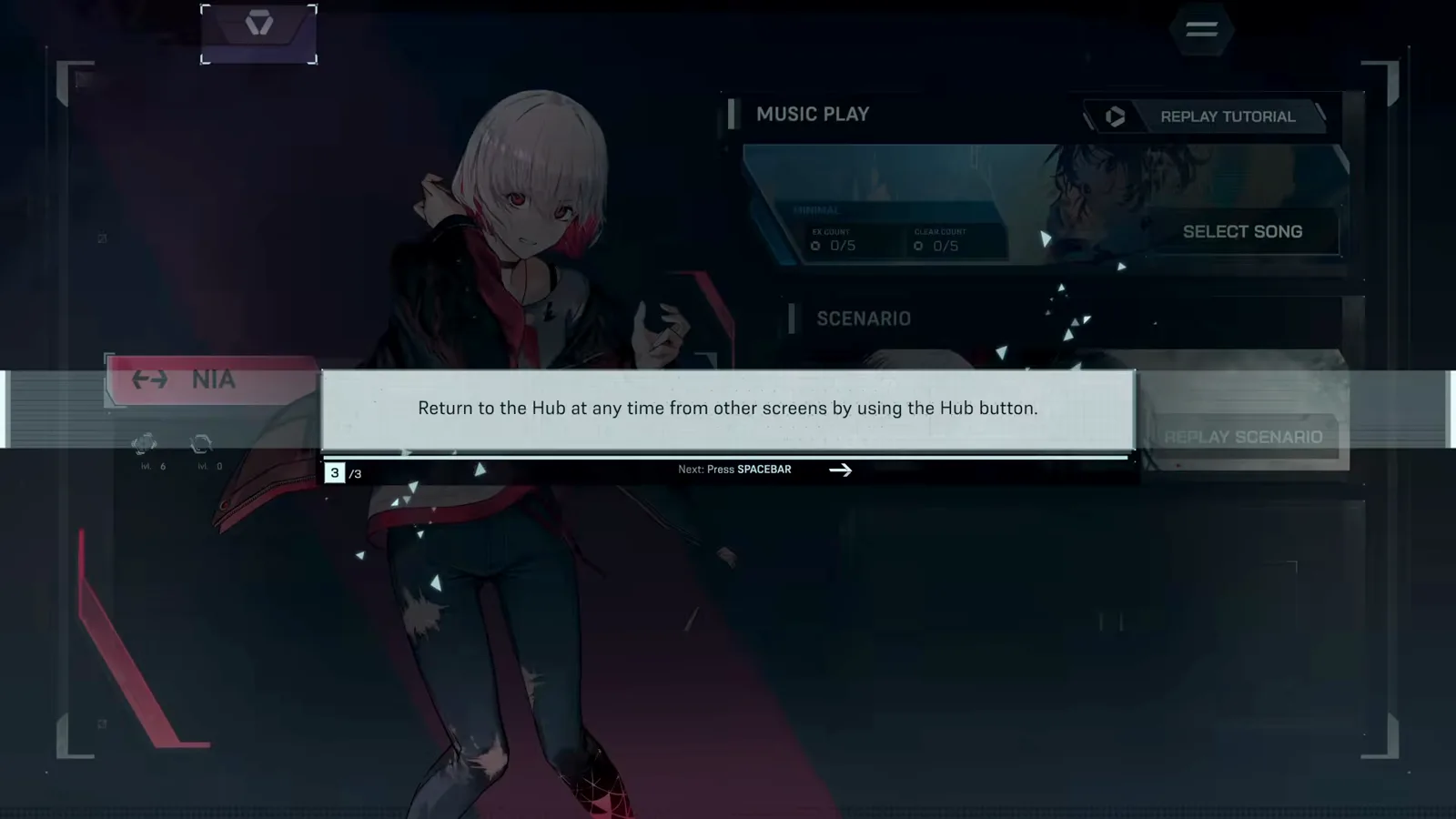
The Hub button is always one press away — the game tells you so after the tutorial. · Footage: justonegamr ↗
Character select: what it does (and doesn't)
HUB THEME // SKILLS- 4
Understand what character selection changes
Selecting a character in the Hub is a theme customization — the game says so outright. Scenario, Card Integration and Encounters are each linked to their own character and use that character's Skills; your Hub pick changes the look, not the gameplay. Nia's Core Skills show Expanded Iota Limit at MAX and Disconnection Tolerance at 0.
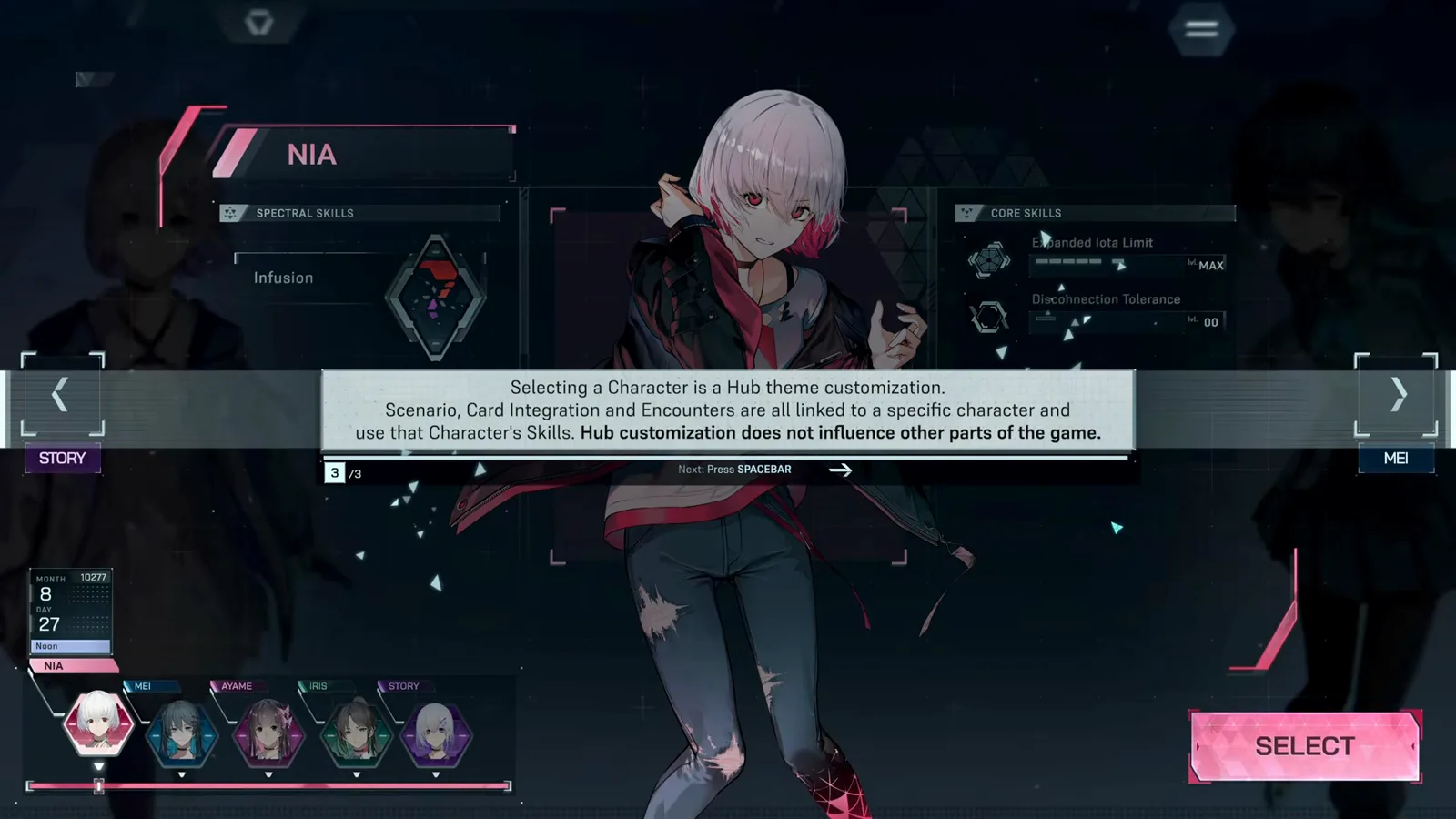
Character select restyles the Hub only — Scenario and Encounters use their own fixed characters. · Footage: justonegamr ↗ - 5
Compare the five character profiles
The select bar holds five slots — Nia, Mei, Ayame, Iris and Story. Ayame's page, for example, pairs the Spectral Skill Infusion ("Expand the amount of Iota types available during Integration") with the Core Skills Expanded Iota Limit and Overlap Tolerance. Read profiles for flavor; build your loadout for power.
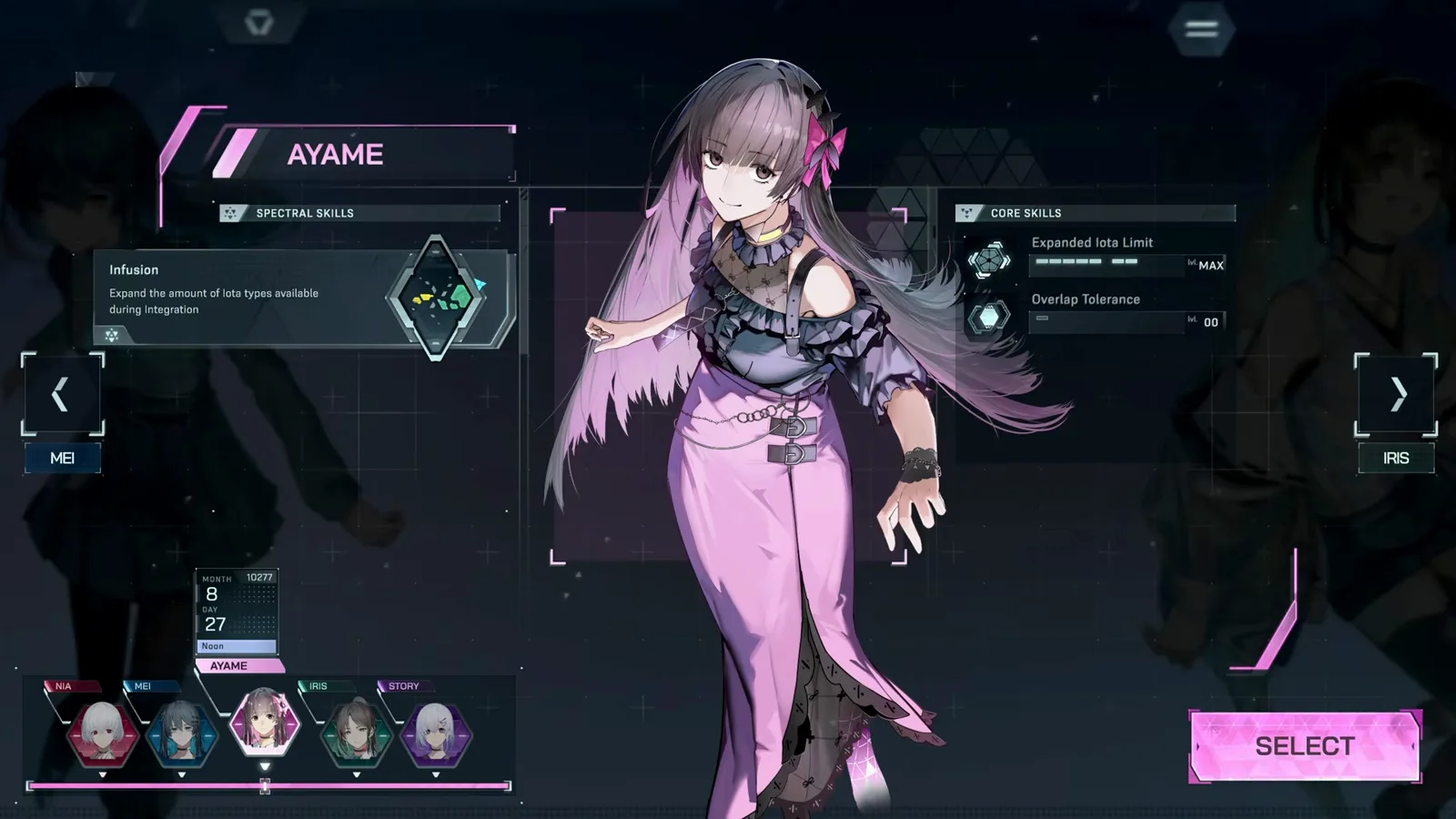
Each character page lists one Spectral Skill and two Core Skills. · Footage: justonegamr ↗
Your first Encounters
NIA VS FREYA // PHASES 1–5Encounters are the heart of the demo: you play a chart while your cards battle the opponent's, Phase by Phase. Both sides show HP-style bars — Power on offense, Resolve on defense — and your note accuracy is what feeds the fight.
- 6
Play your first Encounter
In an Encounter the chart runs down the middle while the battle plays out at the edges: your Power and Resolve bars on the left, the opponent's on the right, card icons stacked down both rails. Here Nia faces Freya on Cryogenic MIN 2 — hit notes to push your offense and keep your defense from collapsing.
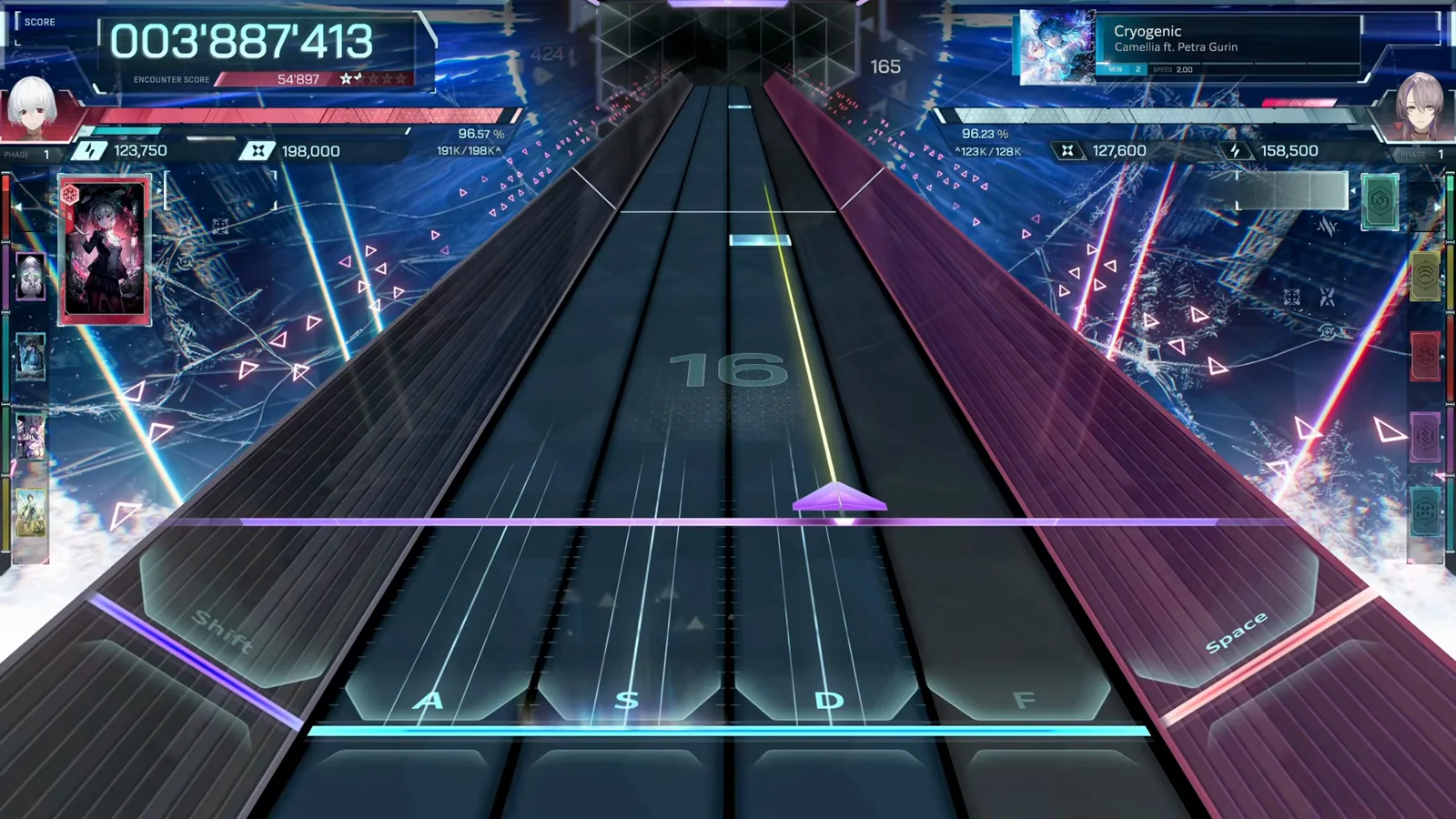
The chart runs center-stage while both sides' bars and cards fight it out at the edges. · Footage: justonegamr ↗ - 7
Read the Encounter result screen
After the song, the Encounter result splits your performance into an Offensive Rate and a Defensive Rate, with damage dealt, trait bonuses and a Phase-by-Phase breakdown graph. The right panel compares your Resolve, Power and Defense against the opponent's for every Phase — this is where you learn why you won.
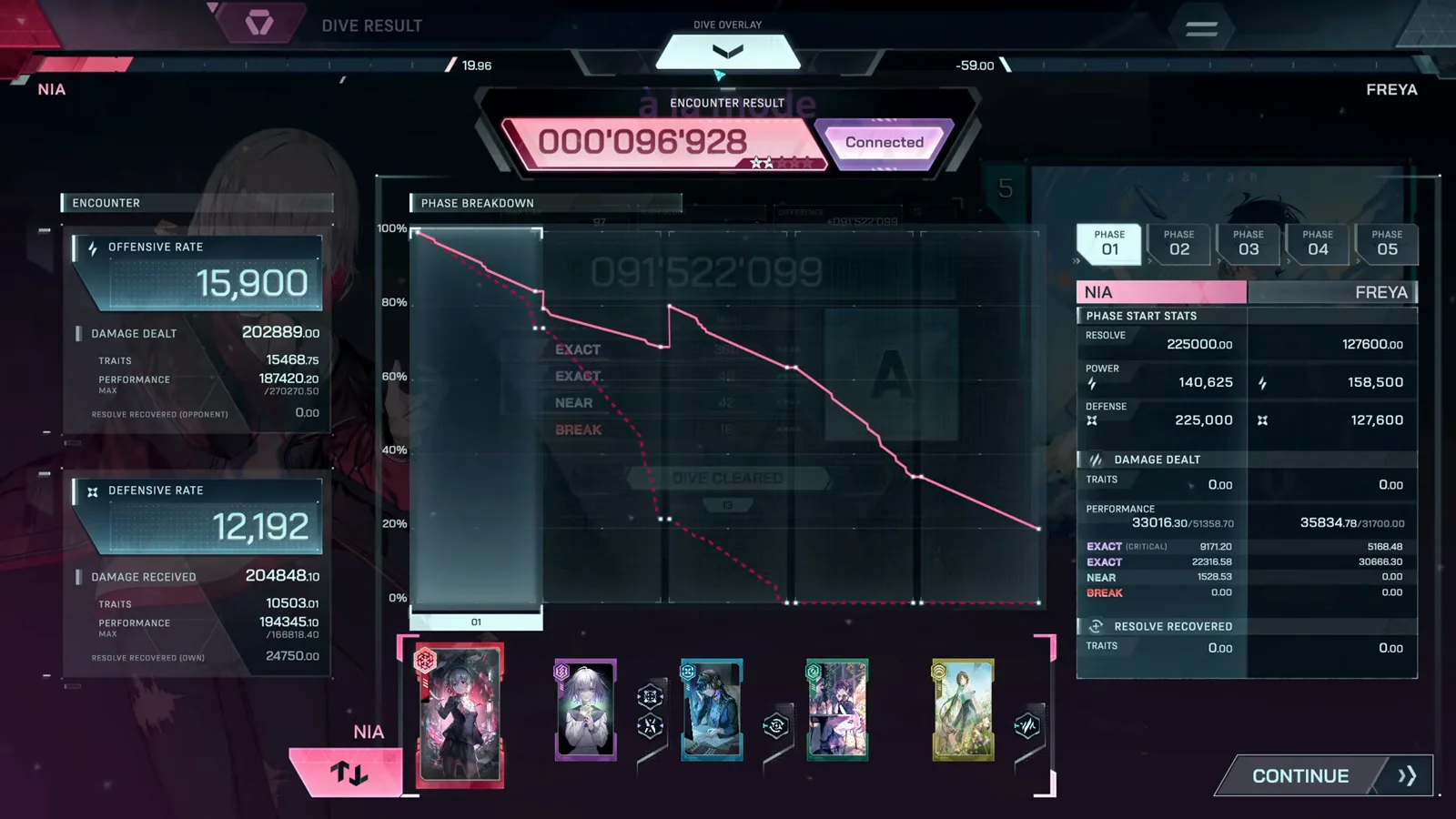
Offense and defense are scored separately, with a graph for every Phase. · Footage: justonegamr ↗
Reading Dive results and ranks
- 8
Chase ranks on the Dive result
The Dive result shows your judgement totals — EXACT (critical), EXACT, NEAR and BREAK — plus MAX LINK and your rank. This à la mode run cleared with a rank A at 91.5 million: 400 EXACT-tier hits against 42 NEARs and 18 BREAKs, with MISS HP left at 13.
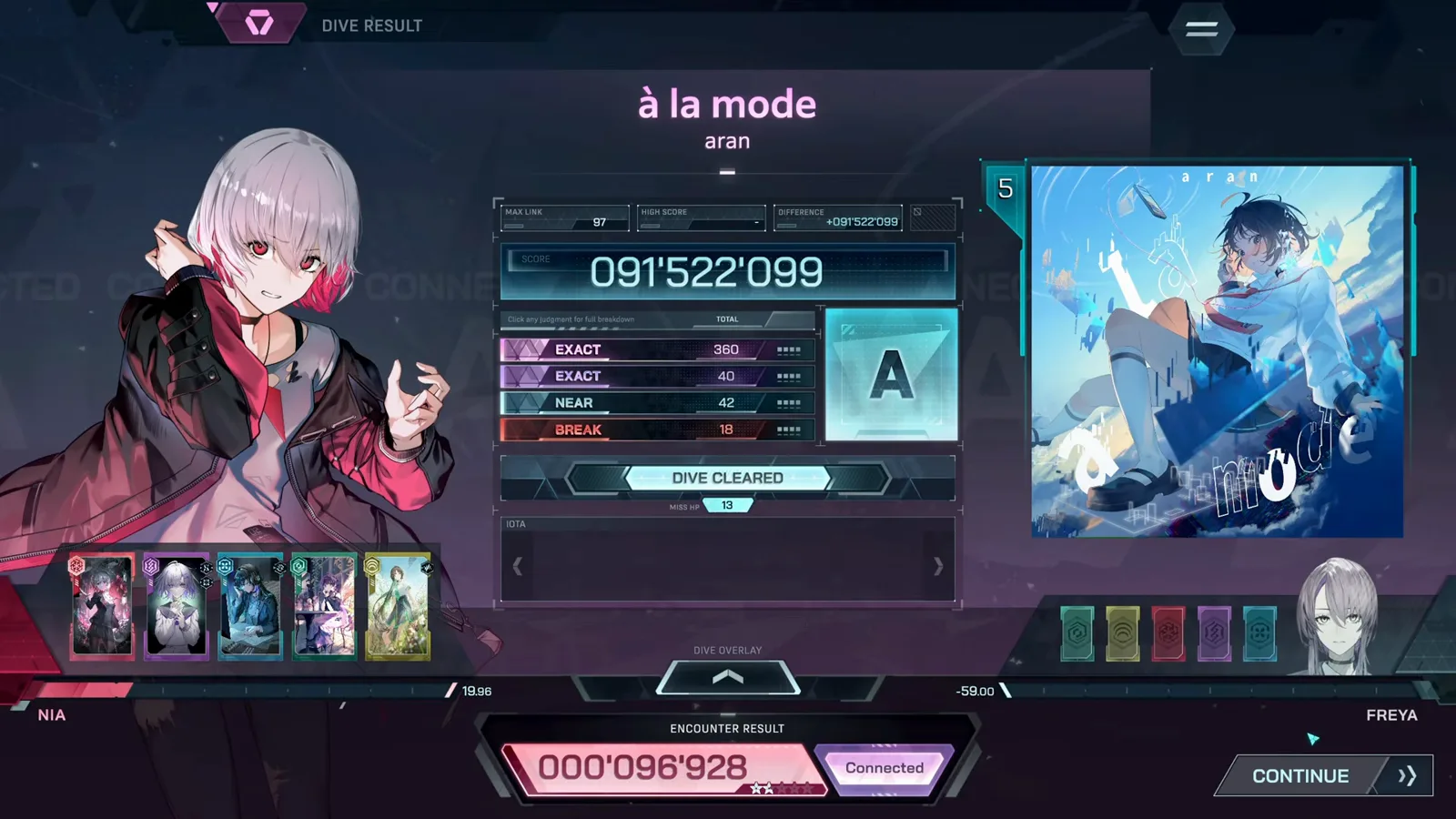
A first clear on à la mode: rank A with MISS HP still at 13. · Footage: justonegamr ↗ - 9
See what a cleaner run looks like
Same screen, better accuracy: a Cryogenic clear at rank AA with 95.6 million — 345 EXACT-tier hits, 23 NEARs and only 5 BREAKs. Cutting BREAKs is the fastest way to climb ranks; the judgement rows tell you exactly which tier you're bleeding.
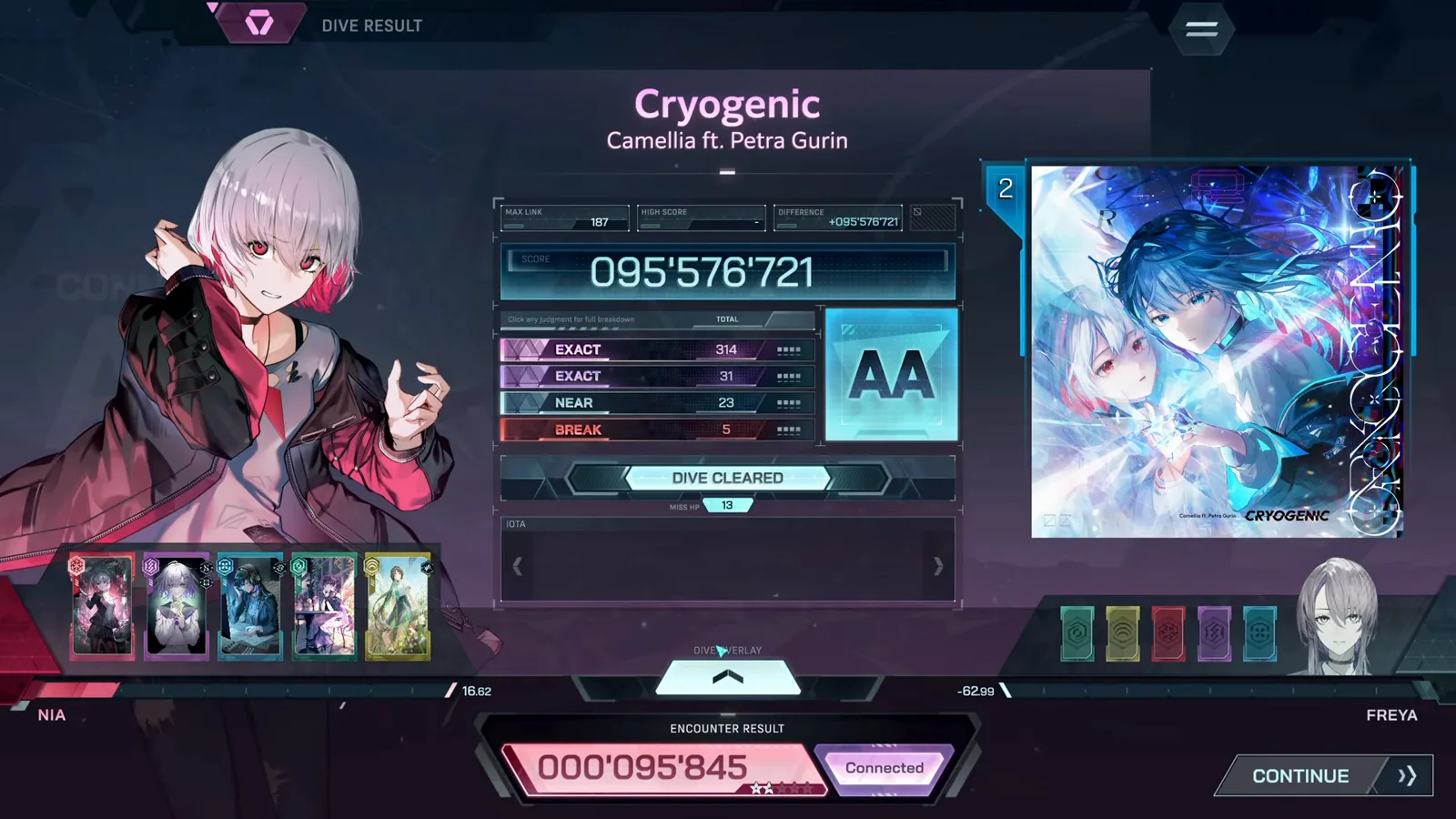
Fewer BREAKs, higher rank — the judgement rows show where the points went. · Footage: justonegamr ↗
Unlocking EVO and ULT difficulties
PROGRESSION // MIN → EVO → ULT- 10
Survive the late Phases of Ordirehv
Ordirehv is the demo's wall — its EVO 4 chart ends in a Phase 5 where both HP bars are deep into their pools and EXACT judgements decide the fight. The track itself bends and narrows as the chart peaks, so keep your eyes on the lanes, not the battle.
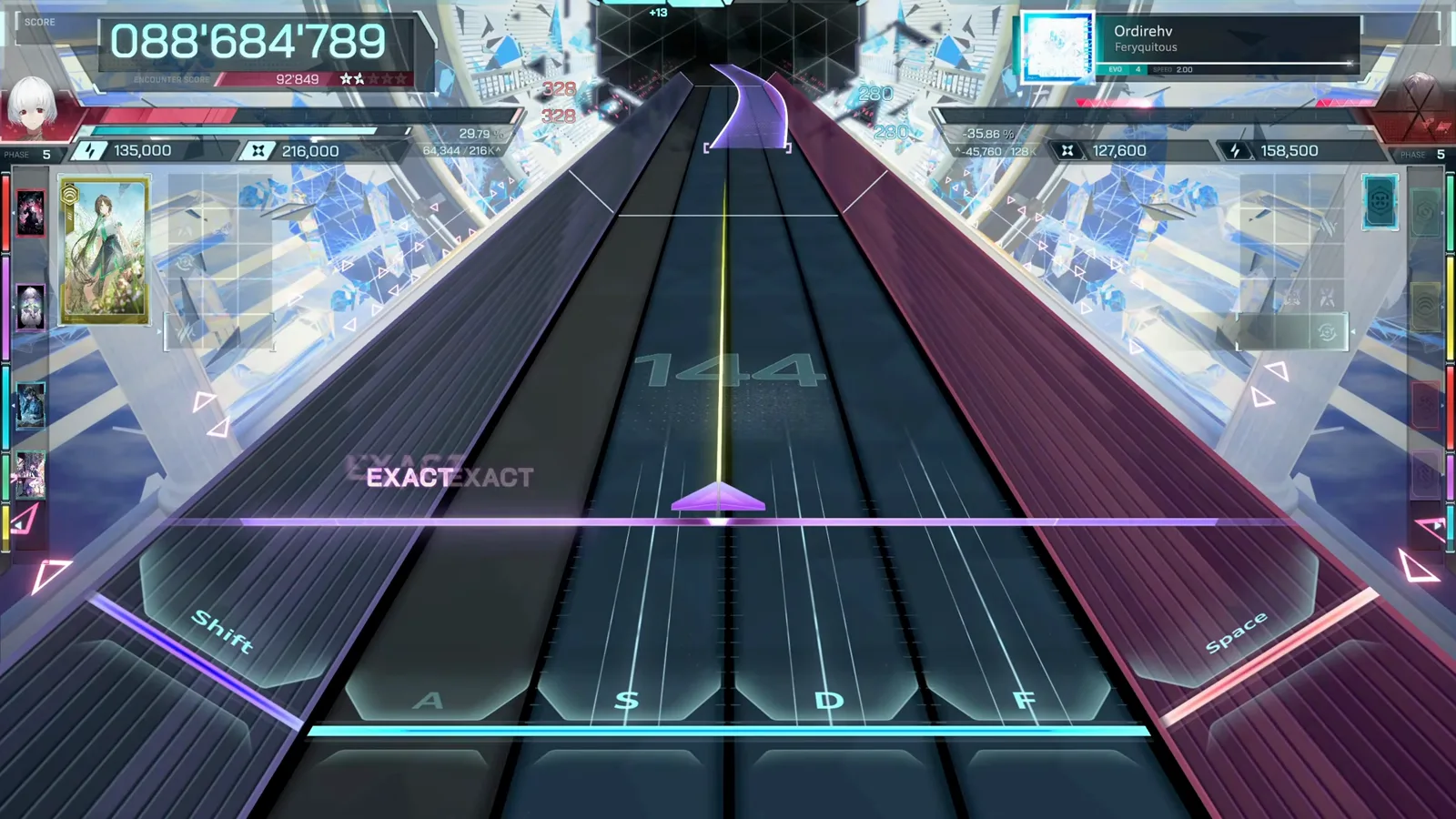
Ordirehv's final Phase drains both bars deep — EXACTs decide the winner. · Footage: justonegamr ↗ - 11
Unlock ULT difficulty
Clear a song and the next difficulty tier opens: after the Ordirehv clear the game pops "Difficulty Unlocked — ULT (Ultimate) difficulty has been unlocked." The demo ladders MIN → EVO → ULT per song; FBD charts exist in the UI but stay locked in the demo.
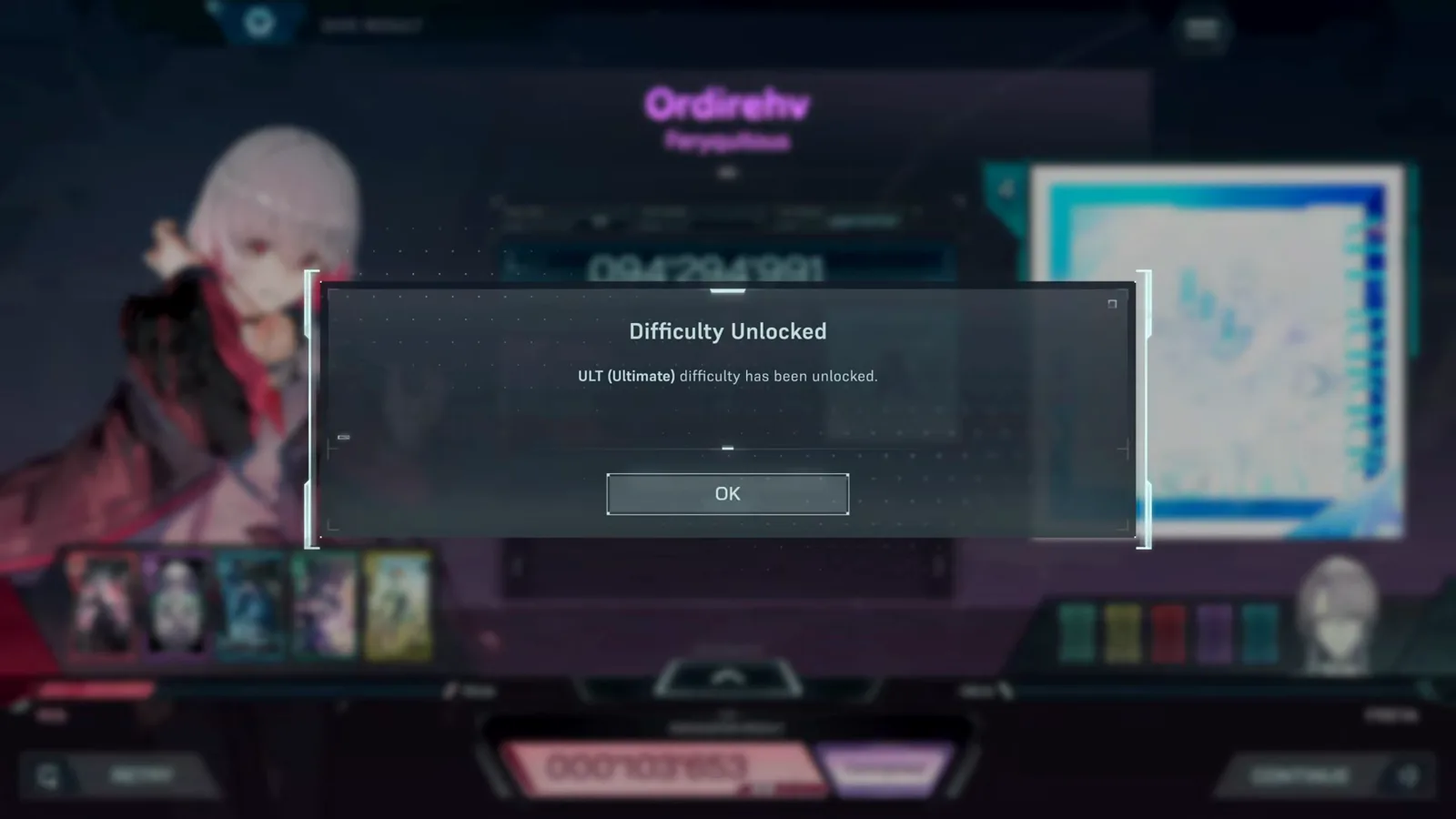
Clear a song and its next difficulty tier opens — here, ULT for Ordirehv. · Footage: justonegamr ↗
When a Dive fails
RETRY // PHASE BREAKDOWN- 12
Fail upward: the DIVE FAILED screen
Push into ULT before you're ready and you'll meet this screen: à la mode ULT 9 ending in DIVE FAILED with 189 BREAKs and MISS HP at -12. Your score still posts and nothing is lost — a failed Dive is information, not a punishment.
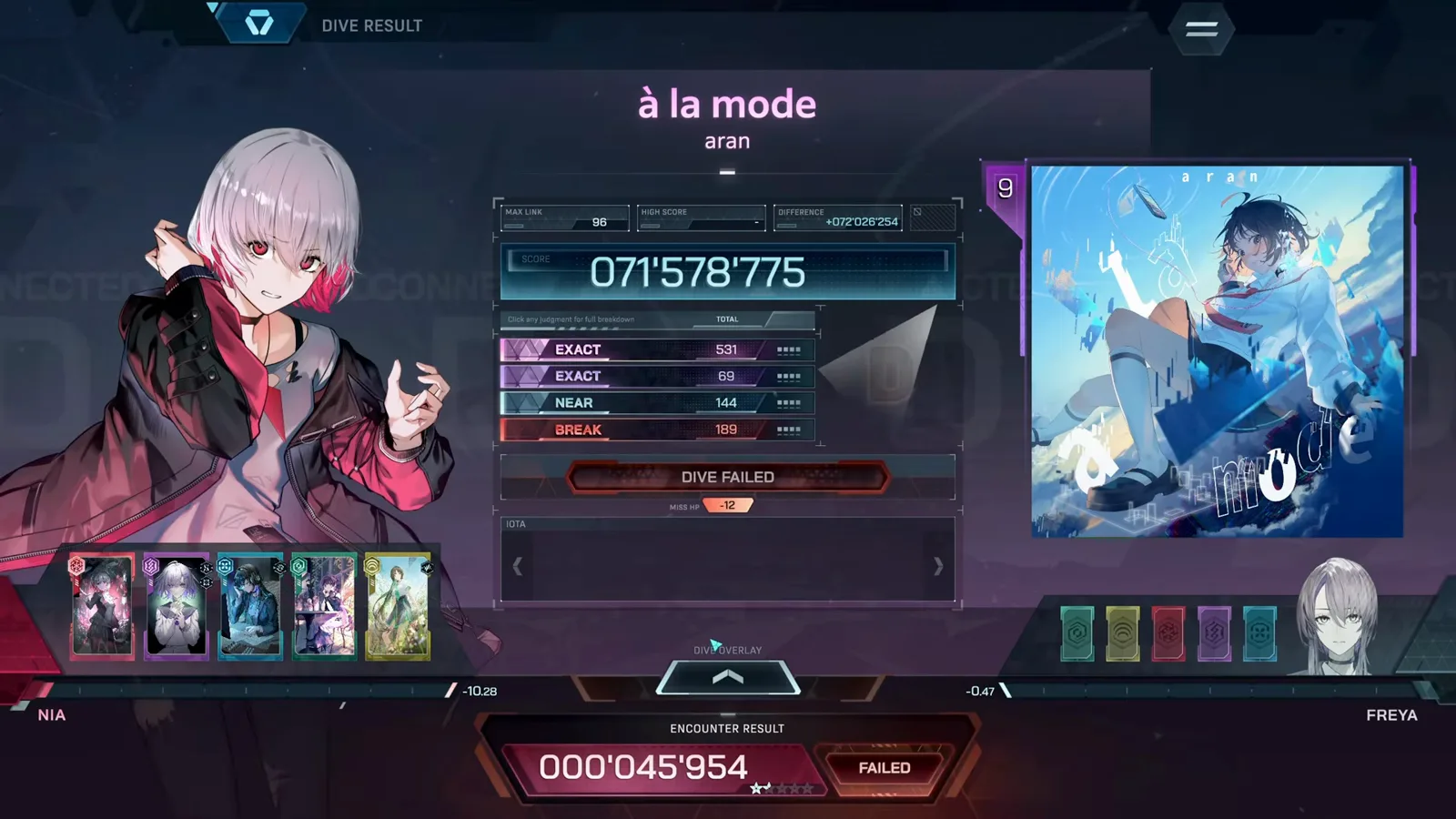
A failed Dive still posts your score — nothing is lost but the run. · Footage: justonegamr ↗ - 13
Study the failure breakdown before retrying
The failed Encounter result is the most useful screen in the demo: the Phase breakdown graph shows exactly where your Resolve collapsed, the per-phase table compares your stats to Freya's, and RETRY sits one click away. If Phase 2 is where the graph dies, rebuild your loadout for that Phase before diving again.
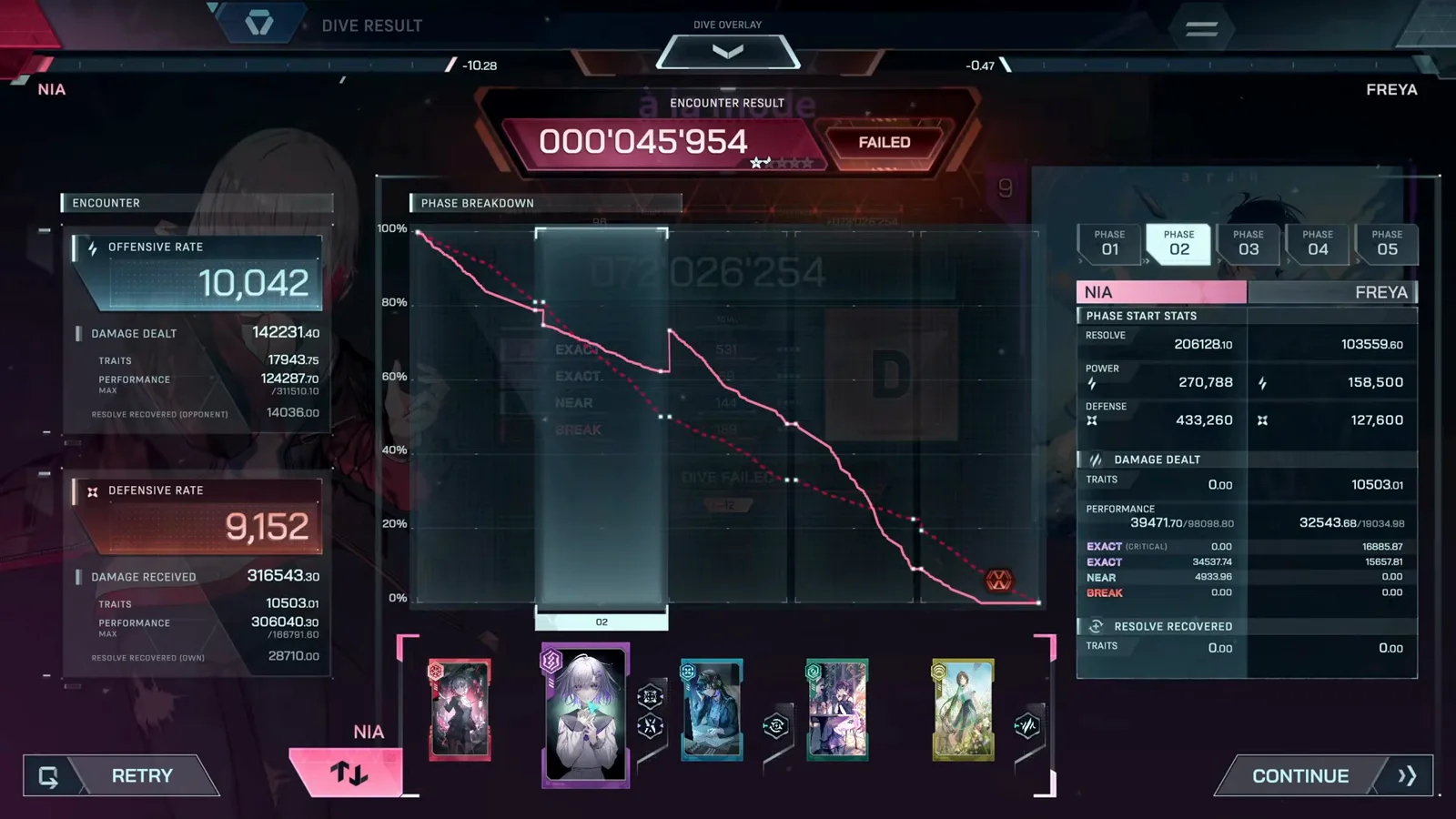
The graph shows the Phase where your Resolve died — fix that before retrying. · Footage: justonegamr ↗ - 14
Pick your next target on song select
Back on SELECT SONG, cleared difficulties show your best grade per chart, the locked FBD slot sits at the end of the row, and your last loadout for the Encounter is remembered on the right. Work through each song's MIN → EVO → ULT ladder and the demo is yours.
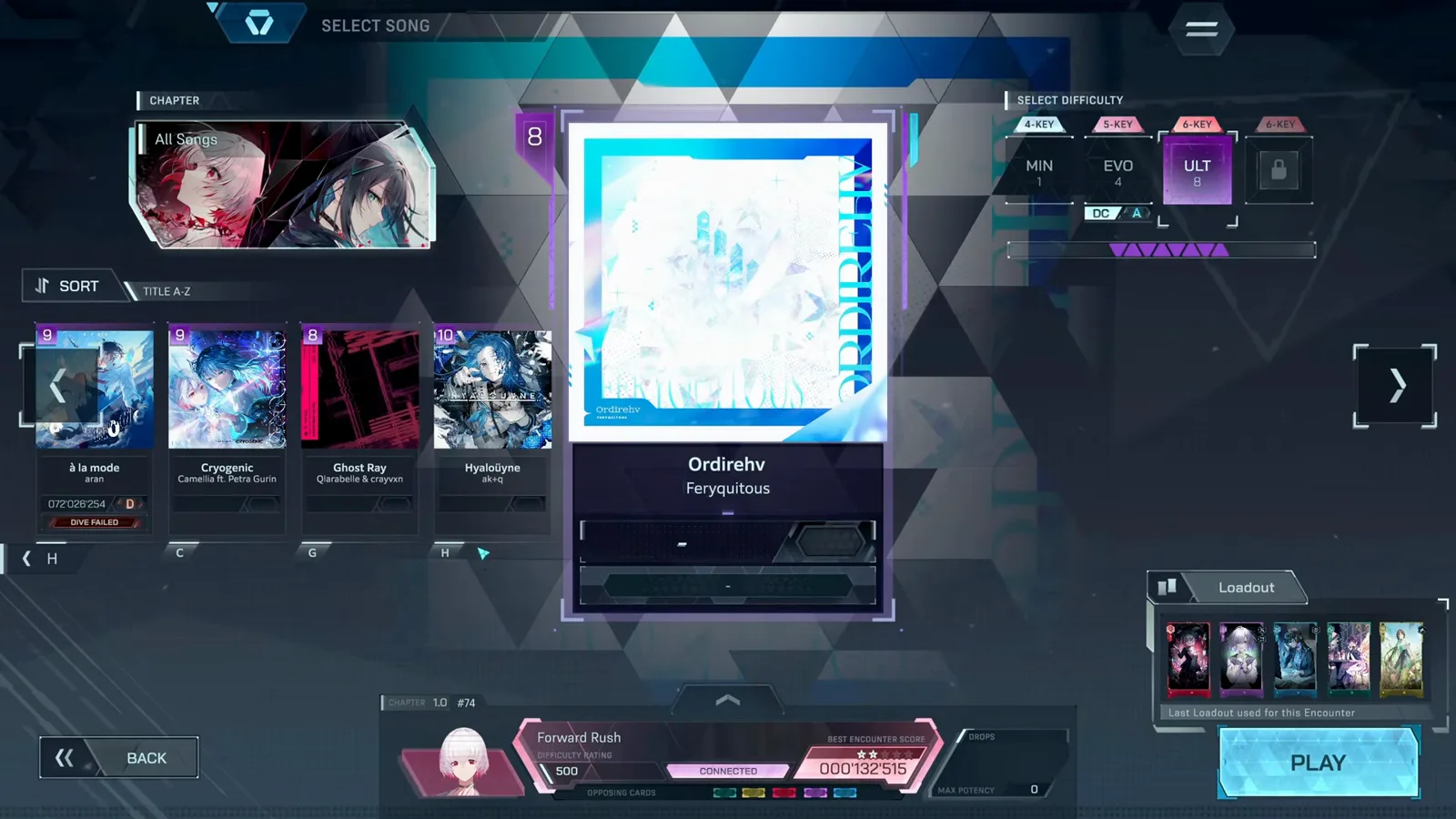
Cleared grades, a locked FBD slot, and your last loadout — pick the next target. · Footage: justonegamr ↗
FAQ
DEMO RUN QUESTIONSHow long is the In Falsus demo?
A first run through the tutorial, opening story and your early Encounters takes roughly 30–40 minutes. Clearing all six songs across their MIN, EVO and ULT charts — plus the scenario chapters — takes several hours more.
Can you skip the story in In Falsus?
Yes. Every story scene has back, auto-play, fast-forward and log buttons in the top-right corner, and completed chapters can be replayed from SCENARIO in the Hub. Skipping costs nothing.
What happens when you fail a Dive in In Falsus?
The run ends with DIVE FAILED, your score still posts, and the Encounter result screen shows a Phase-by-Phase breakdown of where you collapsed. RETRY is one click away and there is no permanent penalty in the demo.
Does the Hub character you pick change gameplay?
No. The game states that selecting a character is a Hub theme customization: Scenario, Card Integration and Encounters are each linked to their own character and use that character's Skills. Your Hub pick only changes how the menu looks.
How do you unlock ULT difficulty in the In Falsus demo?
Clear a song on its current highest chart and the next tier unlocks — the demo ladders MIN → EVO → ULT, and the game announces the unlock with a 'Difficulty Unlocked' popup. FBD charts appear in the UI but remain locked in the demo.