GUIDE // CONTROLS
Hand Placement: Where Your Fingers Actually Belong
The tutorial's pinky-left position is not the whole story
In Falsus splits your attention between six key lanes and a free-moving Field cursor, so hand placement matters more than in a pure 4K/6K game. This guide breaks down the default keybinds, the unintuitive position the tutorial teaches, and the swivel technique that high-level play actually expects — with frame-by-frame handcam evidence.
TL;DR
- ▸Default lane keys are Left Shift, A, S, D, F and Space — one hand covers all six lanes while your other hand drives the Field cursor (mouse or pen tablet).
- ▸The tutorial tells you to rest your pinky on the leftmost lane. Treat that as one of two home positions, not a fixed anchor.
- ▸Most charts are effectively 4K on the middle lanes; when side-lane notes appear, swivel your whole hand instead of stretching your pinky or thumb.
- ▸If you played Guitar Hero on Hard/Expert you already know the motion — move the hand, don't anchor the fingers.
Source Footage
The hand-position analysis comes from dominationgaming53's handcam breakdown of the Tokyo Game Show demo; the in-game evidence comes from BengaleeHS's à la mode FBD 11 clear, recorded with dual handcams (lane keypad + pen tablet). Every figure links to the exact timestamp it was taken from.
Default Keybinds & Lane Layout
Six lanes, one hand, plus a cursor hand- 1
Learn the default layout
Lanes are bound left-to-right to Left Shift, A, S, D, F and Space. The middle four (A/S/D/F) are the alpha lanes you will use most; Shift and Space cover the two side lanes. Your other hand stays on the mouse or tablet for Field phases.
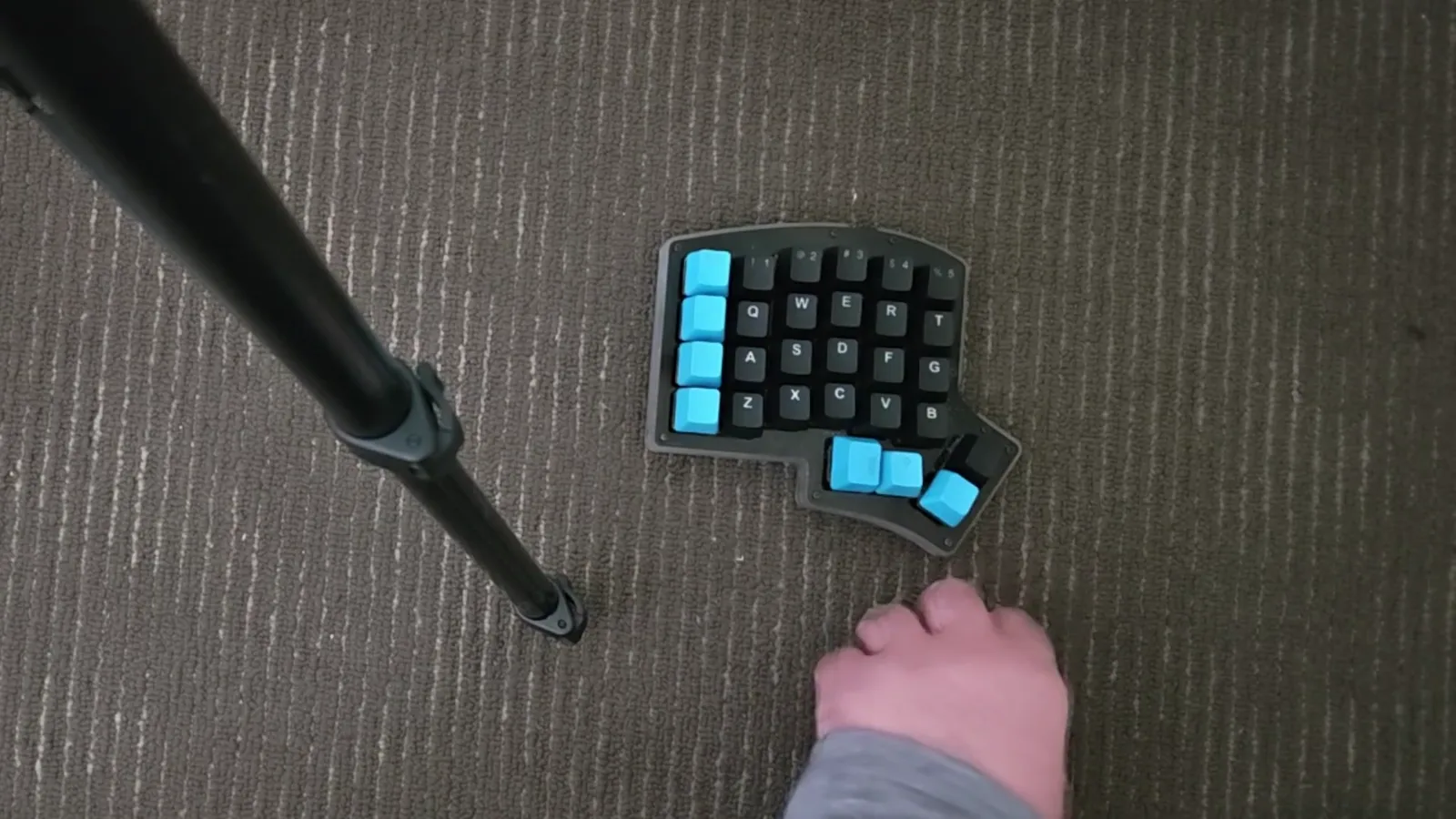
The demo's default binds on a compact keypad: Shift and the blue thumb keys cover the side lanes, A/S/D/F the middle four. · Footage: dominationgaming53 ↗
Two Possible Home Positions
What feels natural vs what the tutorial teaches- 2
Know the natural position
Most players instinctively rest four fingers on A/S/D/F with the thumb hovering over Space. It feels natural because it mirrors a 4K setup — but it leaves the leftmost lane awkward to reach.
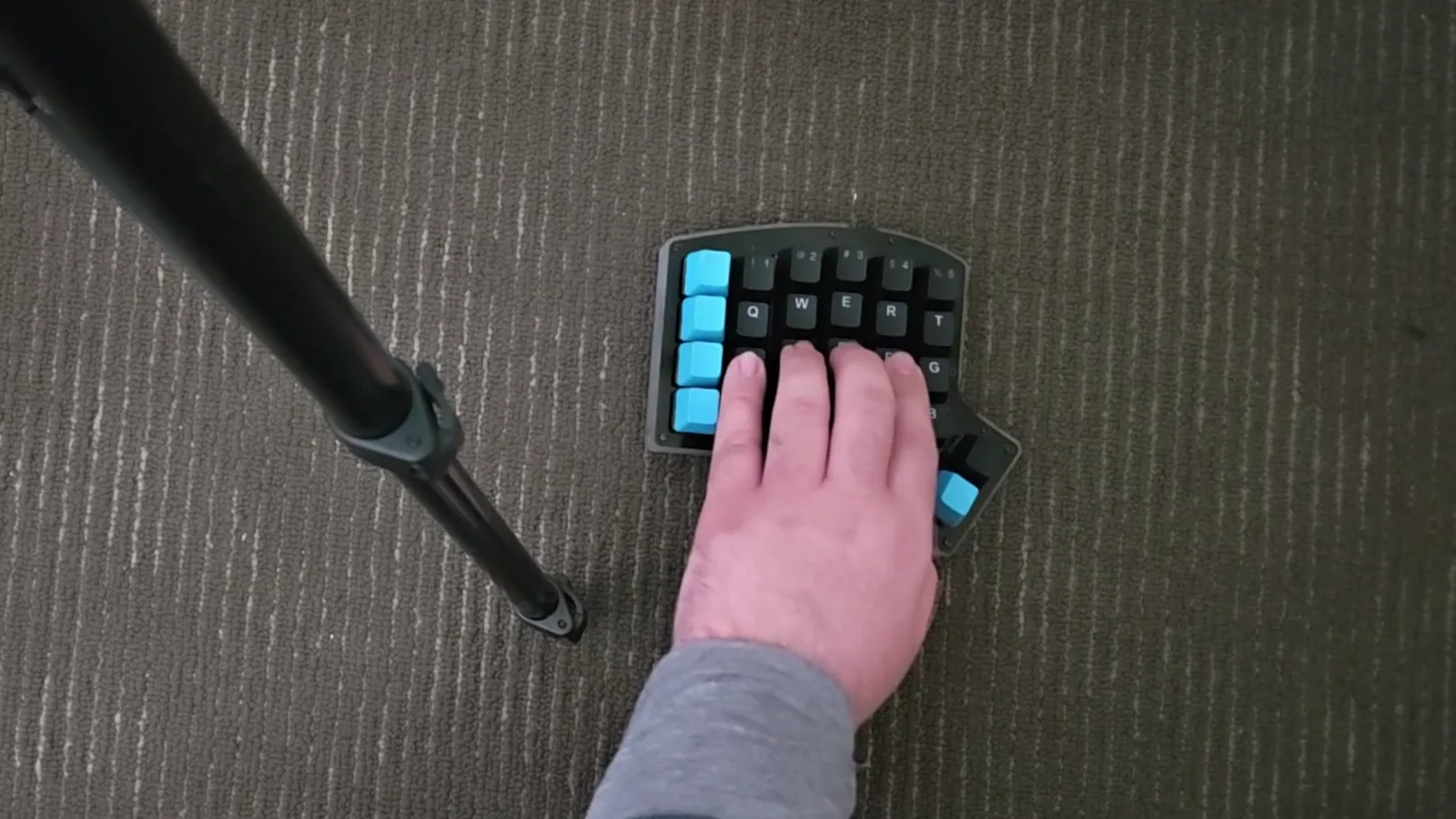
What most players assume: four fingers on the alpha lanes, thumb hovering over the rightmost lane. · Footage: dominationgaming53 ↗ - 3
Know the tutorial position
The in-game tutorial instead teaches pinky on the leftmost lane (Shift) with the ring, middle and index fingers on the three lanes to its right. This covers the left side well but makes the right lanes a stretch.
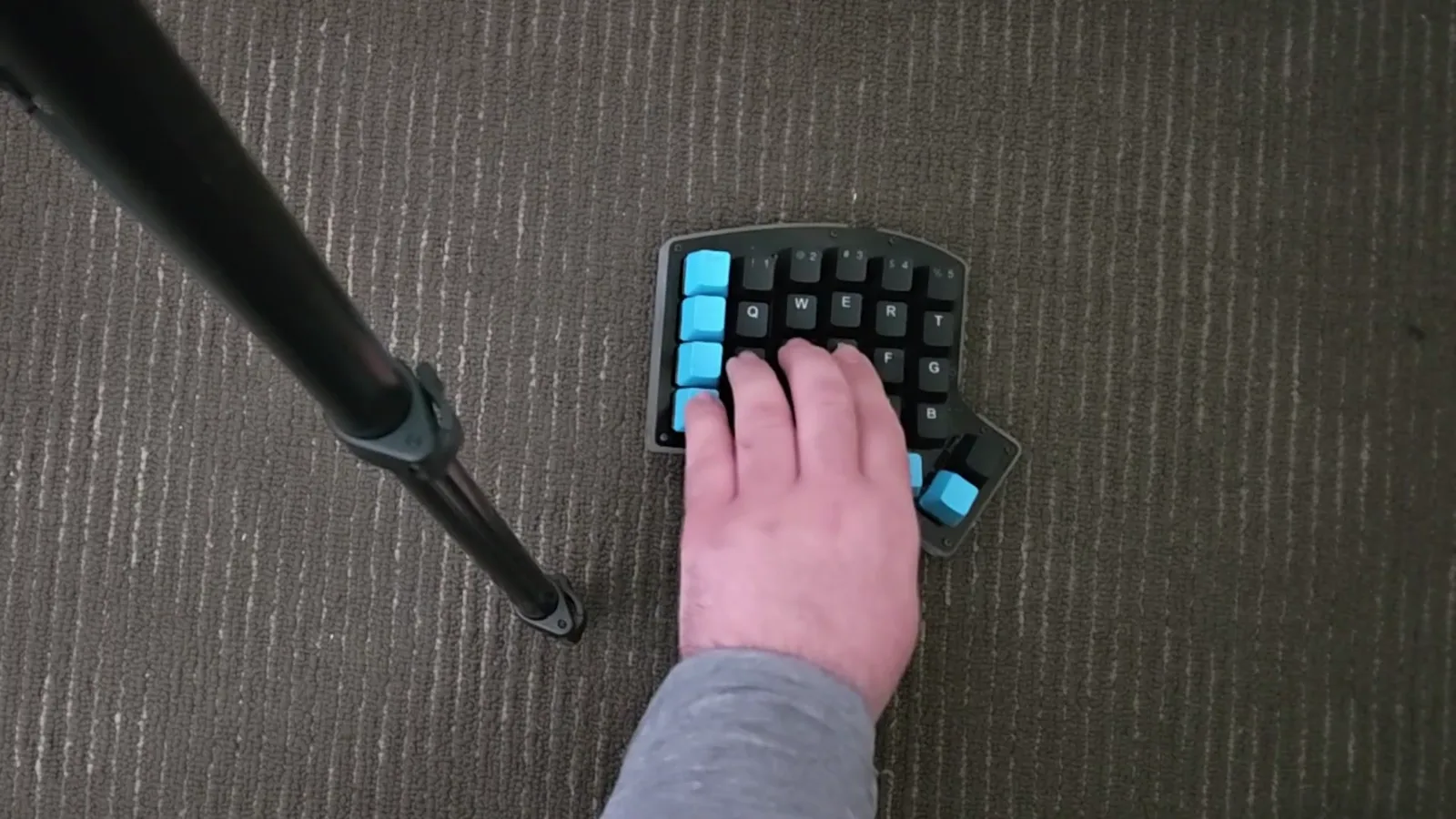
What the tutorial teaches instead: pinky anchored on the leftmost lane, three fingers on the lanes to its right. · Footage: dominationgaming53 ↗
The Problem With Anchoring
Why a fixed position breaks down on real charts- 4
Stop swiveling with your pinky
If you anchor the tutorial position, hitting the two leftmost lanes in sequence means rocking the whole hand back and forth off your pinky — slow, imprecise and tiring over a full chart.
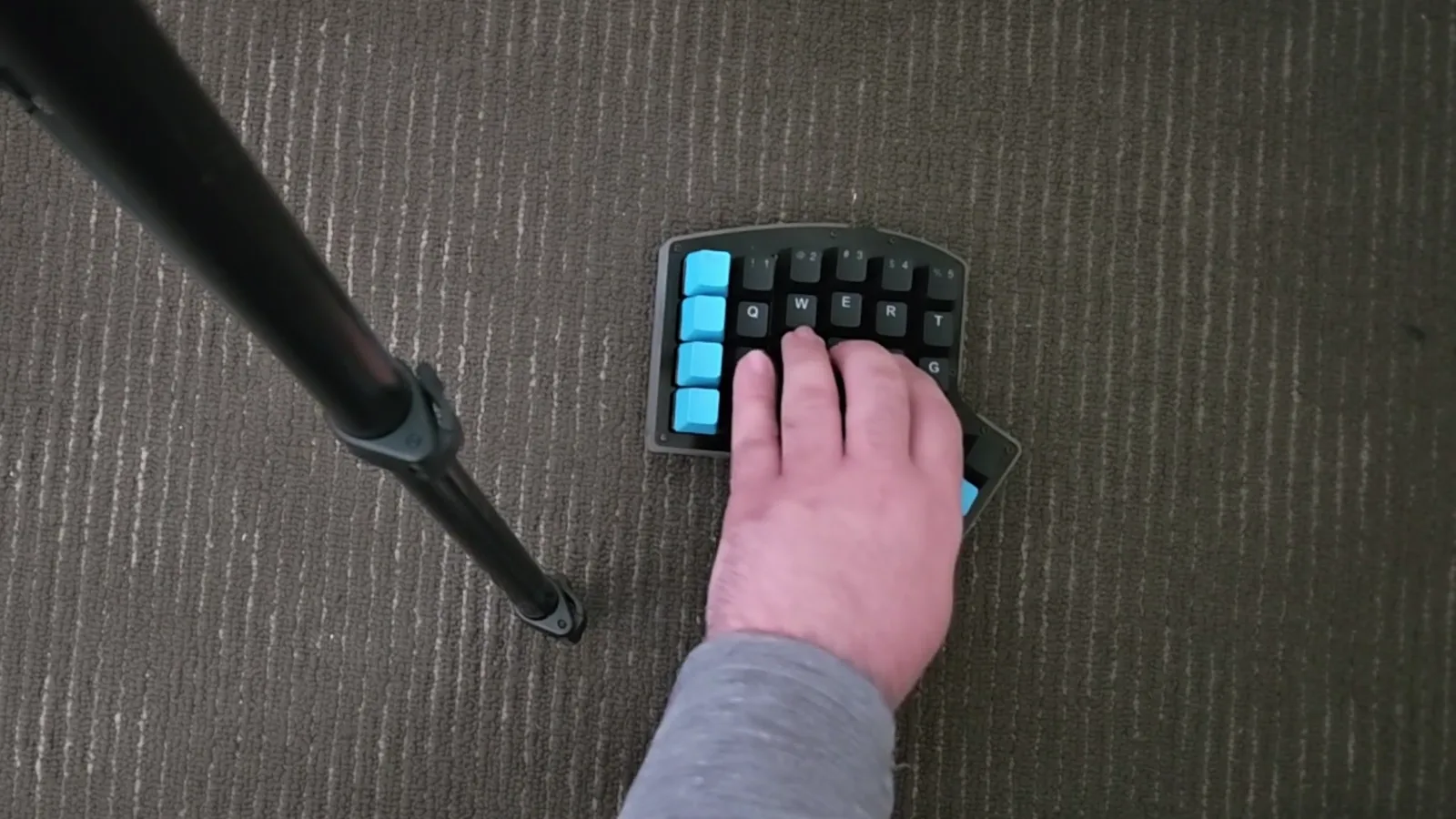
Anchoring the tutorial position forces this pinky-pivot motion between the two left lanes — uncomfortable and slow. · Footage: dominationgaming53 ↗ - 5
Try the index-finger swing
One workaround: anchor on the left lanes and swing your index finger right to cover lanes four and five. It is faster than a pinky swivel and works on easier charts, but it still treats one position as permanent.
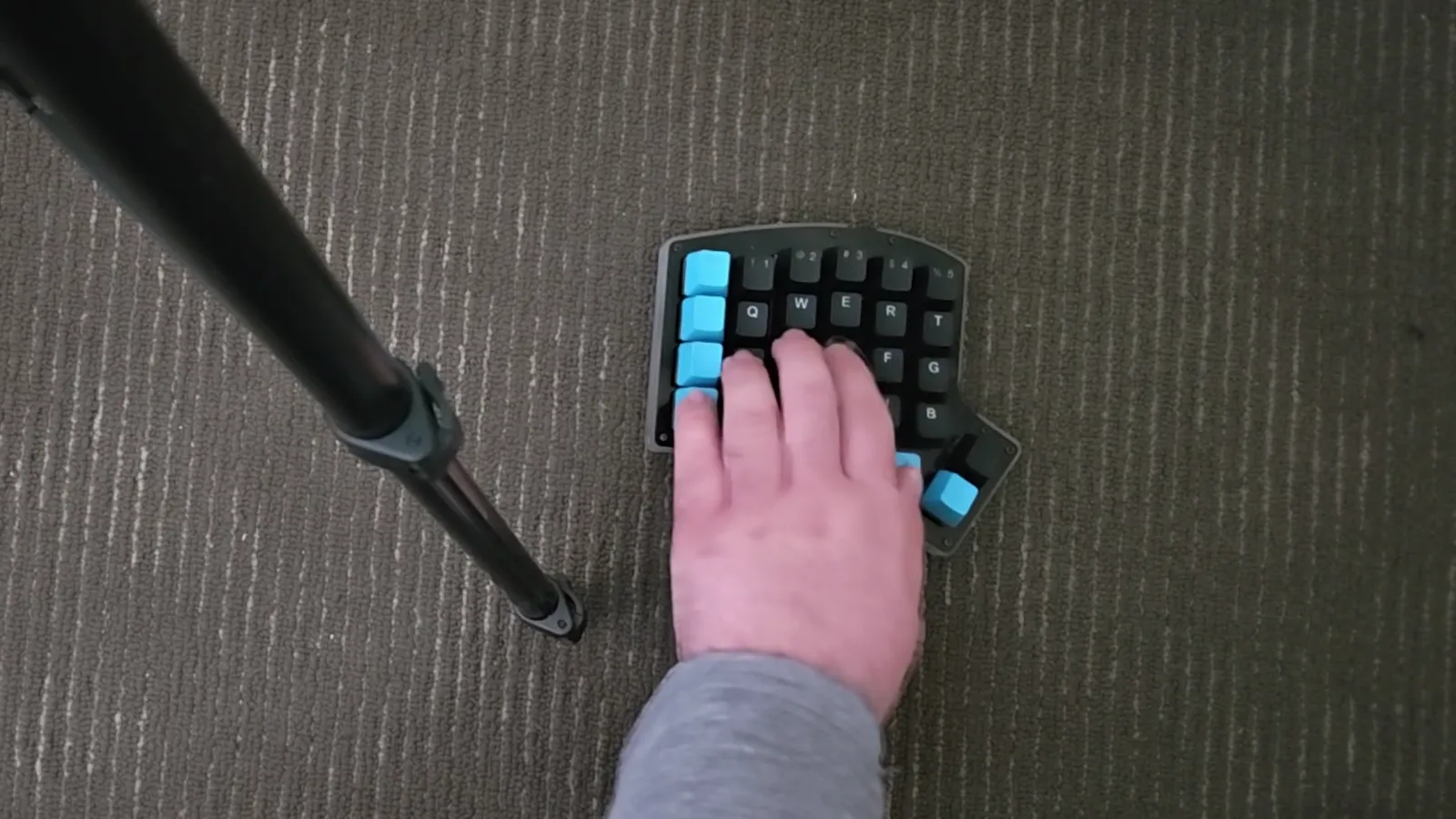
Theory one: keep the hand left and swing the index finger right to cover lanes 4–5. Faster, but still an anchor. · Footage: dominationgaming53 ↗
The Answer: Swivel Between Two Homes
The Guitar Hero precedent- 6
Adopt two home positions
The intended reading: the game expects your whole hand to swivel between two home positions as the chart demands. Most sections are plain 4K on the middle lanes, so center your hand there by default.
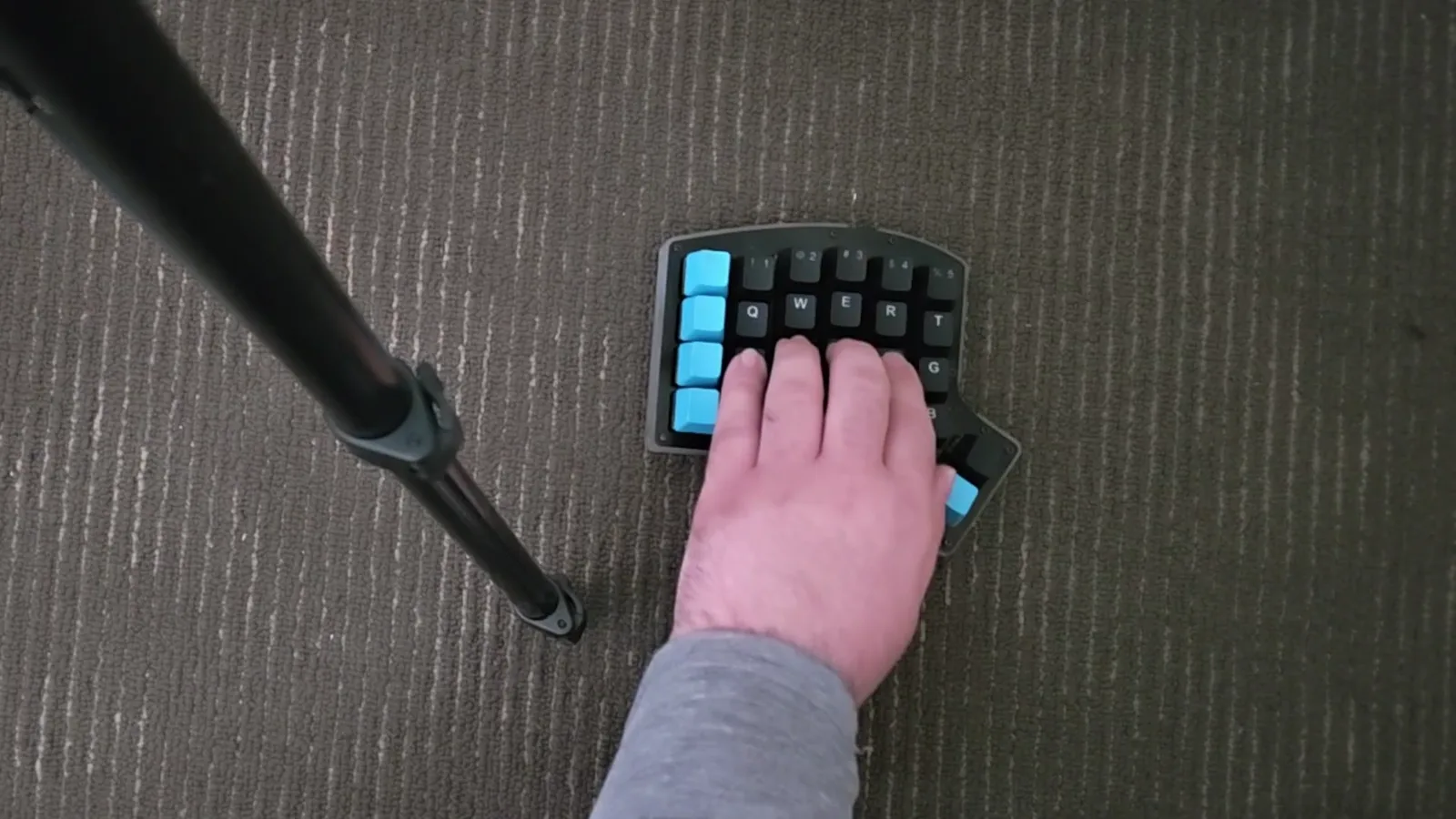
Most charts are effectively 4K on the middle lanes — center your hand here and treat side lanes as excursions. · Footage: dominationgaming53 ↗ - 7
Think Guitar Hero, not piano
On Guitar Hero Hard/Expert you never keep three fingers glued to the first three frets — you slide up the neck to reach the orange fret. In Falsus works the same way: reposition the hand, keep the finger-to-lane mapping consistent.
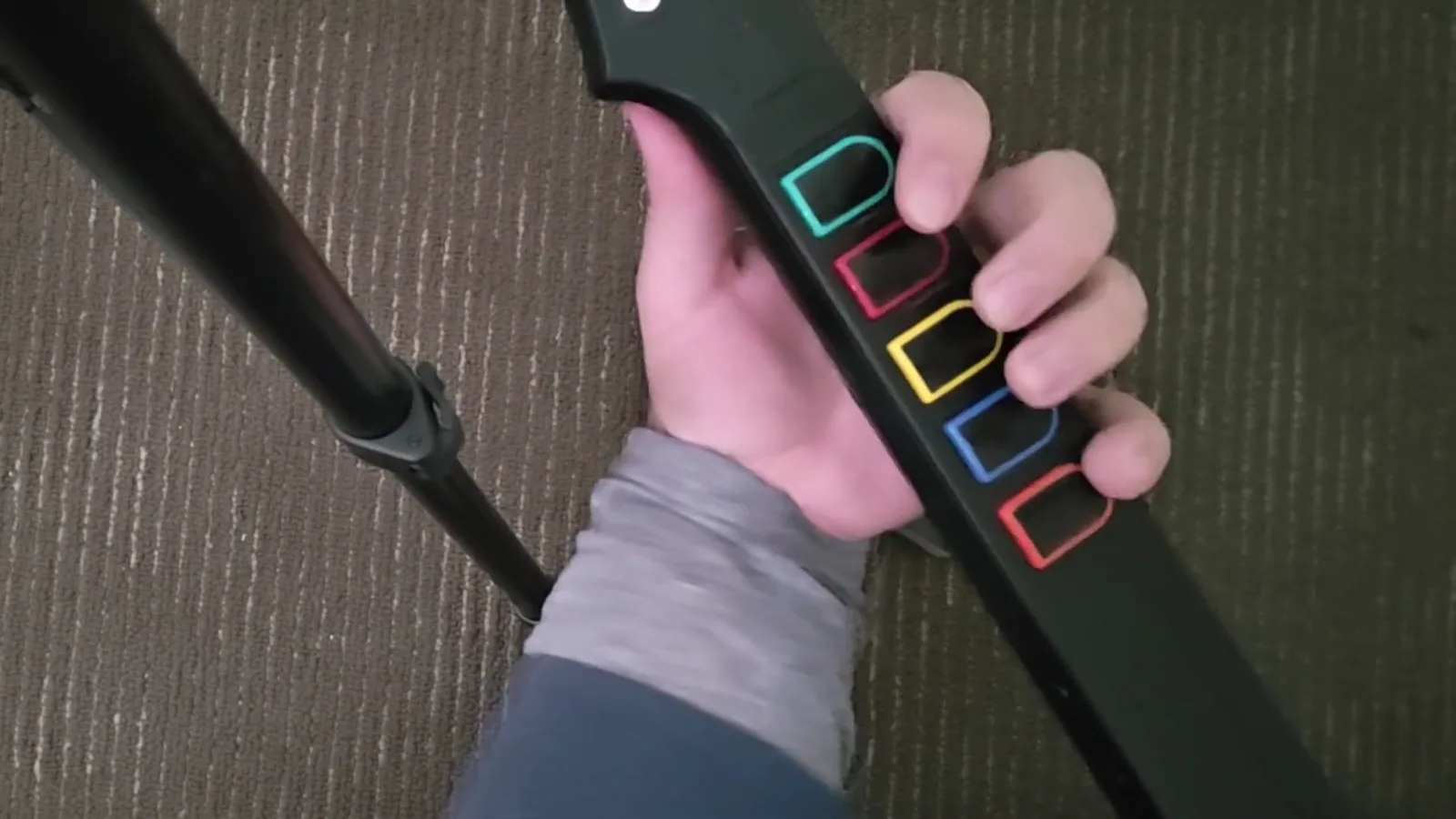
GH Hard/Expert players slide the whole hand up the neck for the orange fret. Same principle: move the hand, not the fingers. · Footage: dominationgaming53 ↗
Hand Placement in Real Play
Dual-handcam evidence from an FBD 11 clear- 8
Watch both hands work
In this à la mode FBD 11 clear, the left hand owns the lane keypad while the right hand tracks the Field cursor with a pen. Neither hand ever leaves its job — that separation is the core skill.
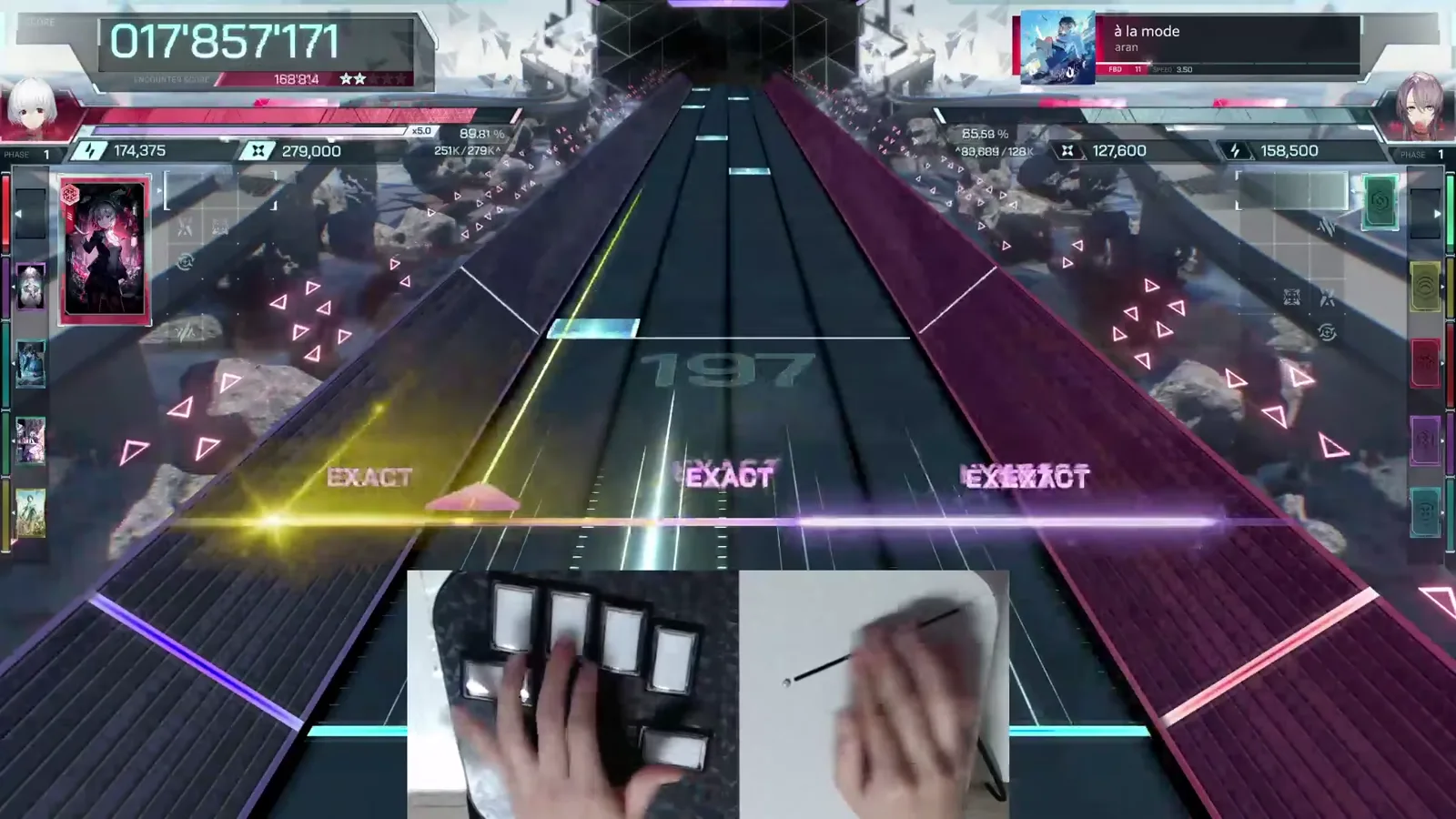
BengaleeHS clearing à la mode FBD 11: lane hand on the keypad, cursor hand on the pen tablet, EXACT popups flowing. · Footage: BengaleeHS ↗ - 9
Survive Field phases
When purple Field zones open up, lane density drops and the cursor hand takes over. Keep your lane hand parked in the middle-lane home position so you can snap back the instant the Field closes.
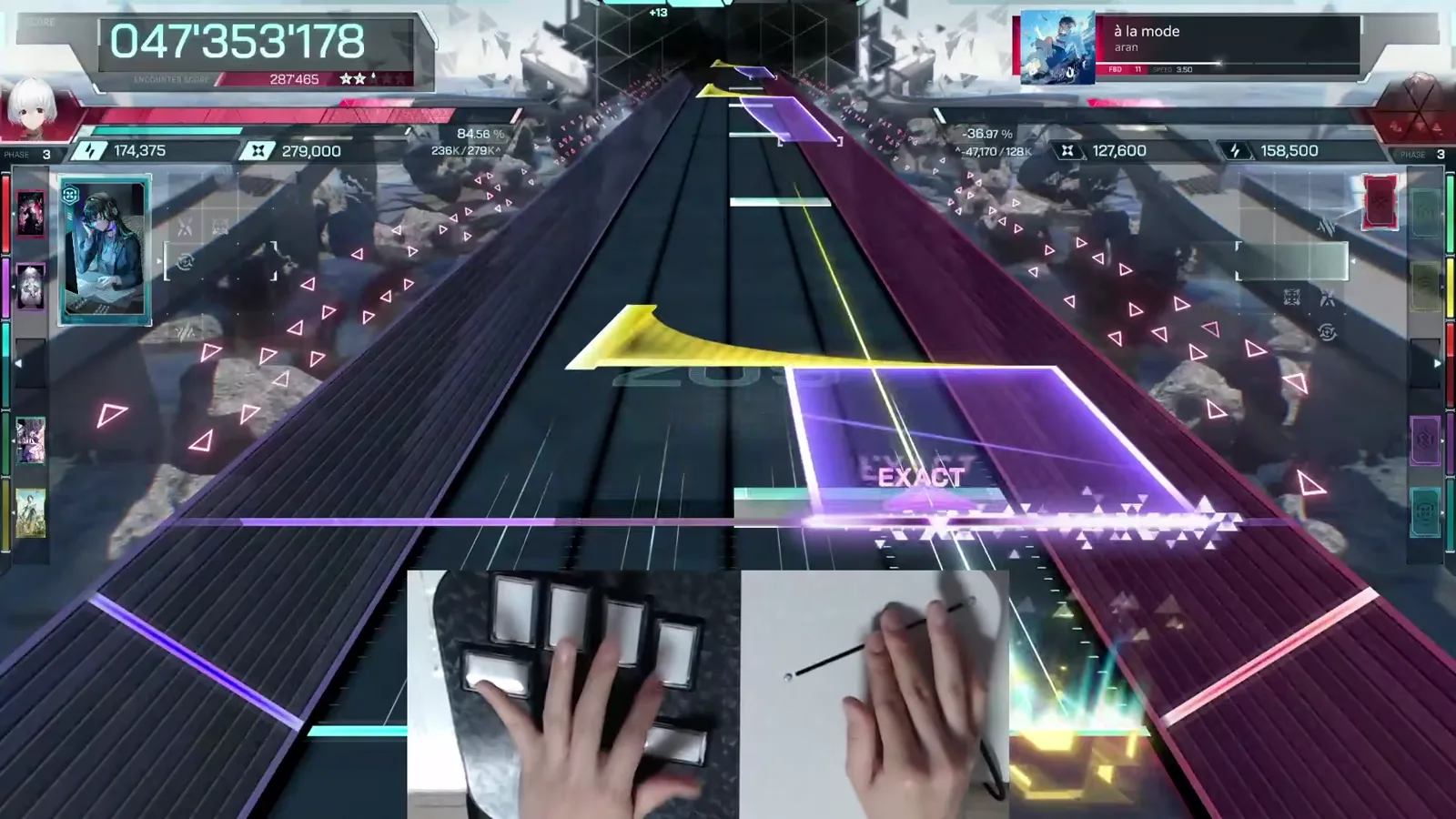
When a Field zone opens, the cursor hand takes the spotlight while the lane hand idles in its home position. · Footage: BengaleeHS ↗ - 10
Reset during calm sections
Use low-density stretches to consciously re-center: four fingers over the middle lanes, wrist relaxed, thumb loose. Top players reset their grip every quiet bar instead of holding a stretched position.
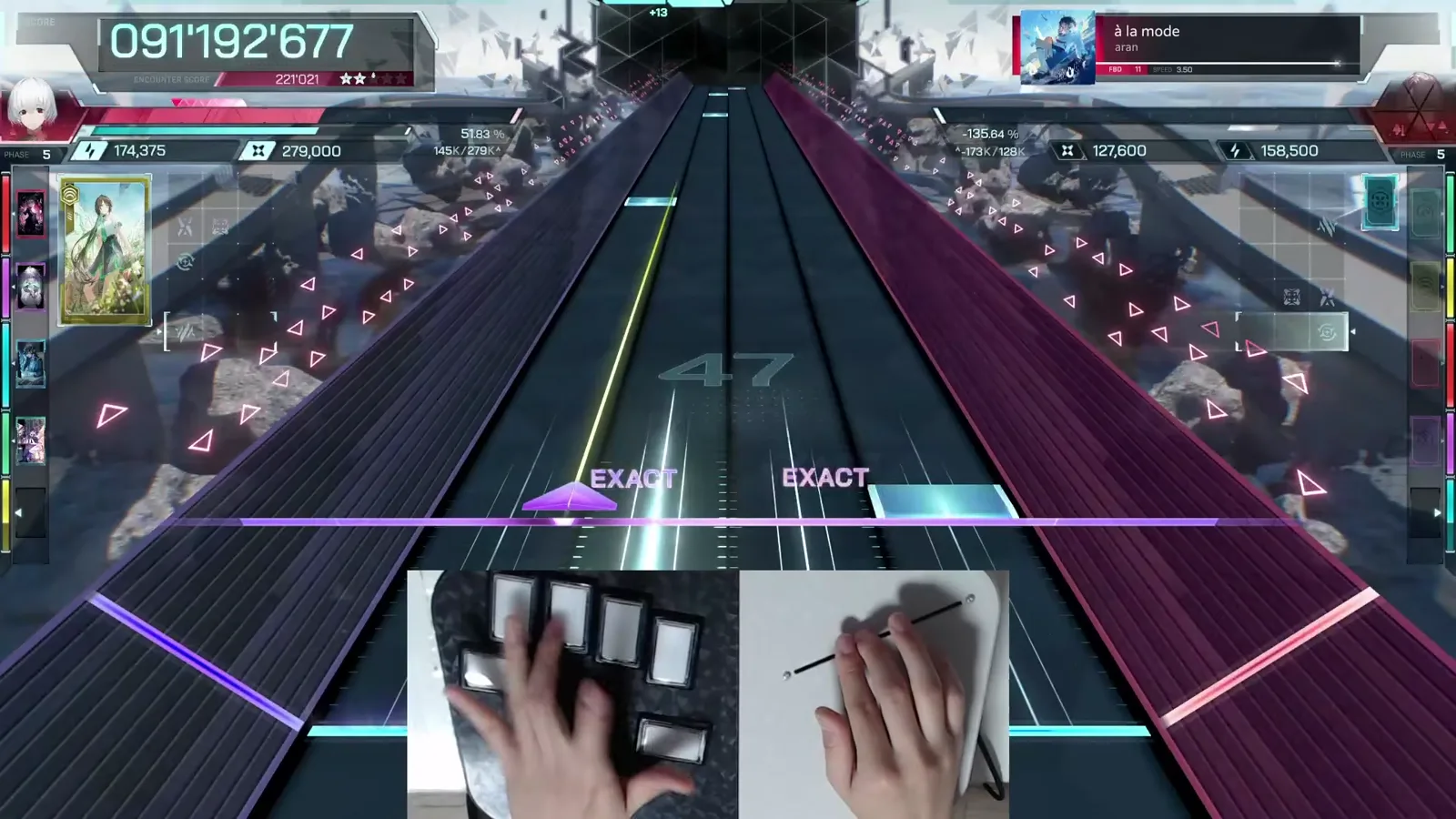
Low-density bars are your chance to re-center the lane hand before the next burst. · Footage: BengaleeHS ↗
FAQ
Common hand-placement questionsWhat are the default keybinds in In Falsus?
Left Shift, A, S, D, F and Space, mapped left-to-right across the six lanes. The Field cursor is controlled separately with the mouse (or a pen tablet, as many top players prefer). All binds can be remapped in Settings → Controls.
Do I play the lanes with one hand or two?
One hand — typically your left — covers all six lane keys. Your other hand is busy steering the Field cursor, so two-hand lane setups leave you nothing for Field phases.
Is the tutorial's pinky-on-leftmost position wrong?
Not wrong, just incomplete. It is one of two home positions. The mistake is treating it as a fixed anchor: the game expects you to swivel between the pinky-left position and a middle-lane position as the chart requires.
Should I stretch my thumb or pinky to reach side lanes?
No. Stretching anchors your hand and slows recovery. Move the whole hand so each finger keeps its lane assignment — the same principle as sliding up the neck in Guitar Hero instead of reaching for the orange fret.
Do I need a special keypad or tablet to play well?
No. The demo is perfectly clearable on a standard keyboard and mouse. Compact keypads and pen tablets are comfort upgrades some top players use, but the hand-placement principles in this guide apply to any setup.